Okie
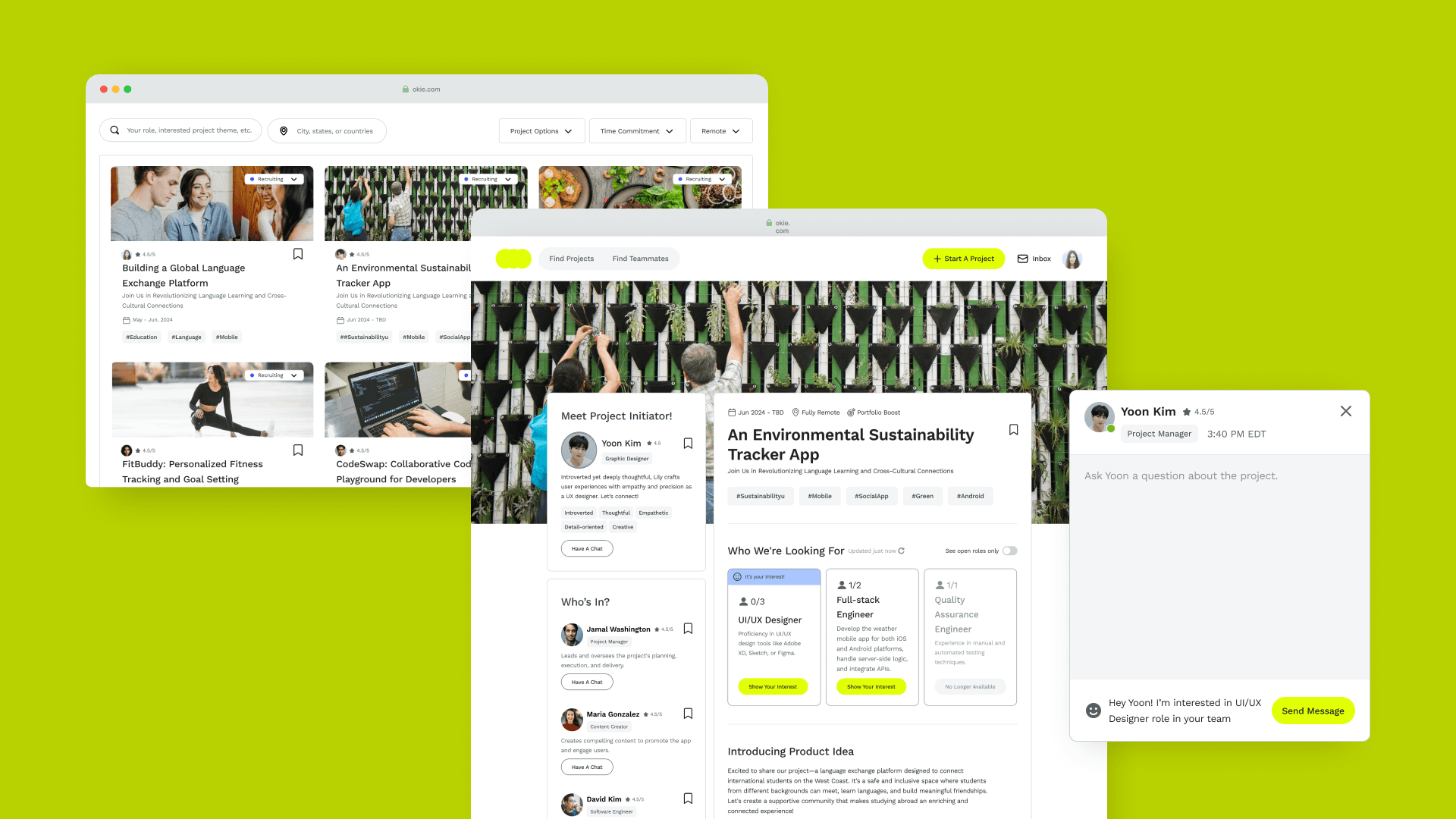
Okie is a professional networking platform designed to break down skill silos for side project participants. By designing structured project requirements and partner filtering mechanisms, I created a digital experience that enables developers, designers, and product managers to form teams and launch side projects based on shared passion and complementary expertise.
TL;DR
Designing a platform that help young professionals find the right collaborators through user-centered matchmaking.
Frustrated by the difficulty of finding collaborators for side projects, I built OKIE — a project-matching platform tailored for young professionals. I led the end-to-end product design from user research to interactive prototype. Through interviews with 10+ young professionals and iterative design, I built a system that prioritizes compatibility, trust, and ease of communication. This case study showcases my ability to drive product direction from scratch in a user-centered way.
challenge
Moving beyond fragmented social channels to find reliable project talent.
In the current side project culture, recruiting happens in scattered Slack channels or Facebook groups where information is messy and quickly buried. Side project initiators spend excessive time vetting candidates' skills and commitment levels manually.
Preliminary idea
Design a web app that matches side project teammates.
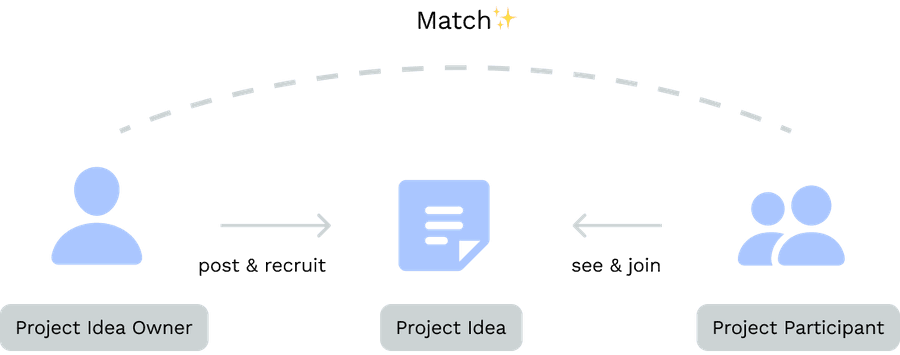
Considering combining job postings with matchmaking—what if we let project idea owners publicly post their projects, allowing individuals interested in joining a team to view the posts and connect with them?
Key design solutions
We design a self-initiated platform that helps project initiators find compatible project participants based on skills, goals, and availability.
key Solution #1
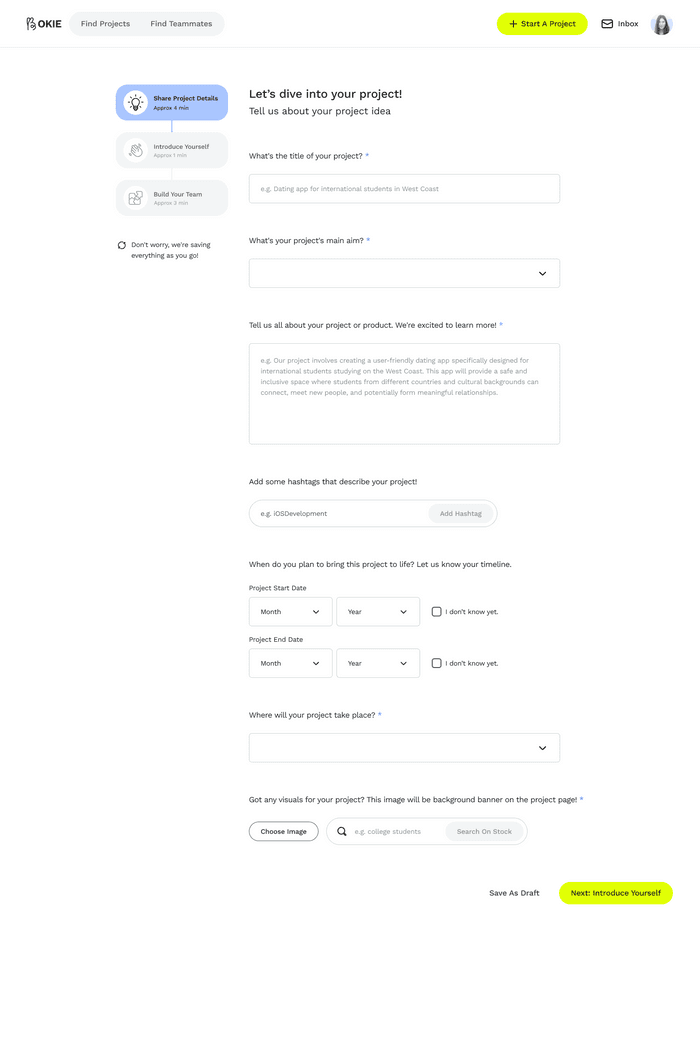
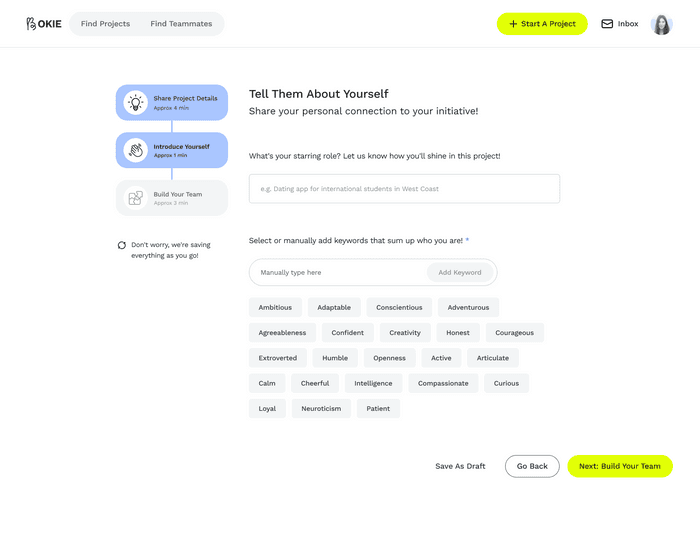
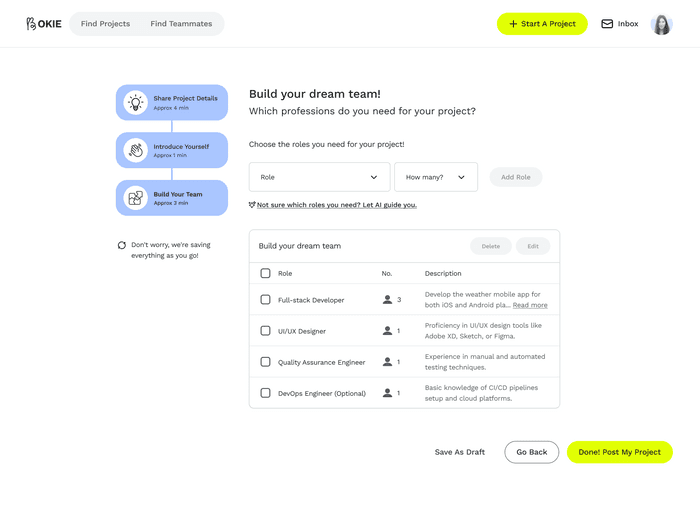
Intuitive Project Posting Guide ensures an effortless and informative project idea sharing.
The posting guide simplifies project idea sharing. By including key details, it ensures project initiators make informative posts that provide potential participants with all the necessary information.
key Solution #2
Efficient and transparent Home dashboard for teammates and project browsing.
Users can seamlessly switch between two modes—browsing other user profiles, skills, and past projects to find teammates or filtering project opportunities to discover teams that align with their interests. The card design on Home prioritizes key information for quick browsing.
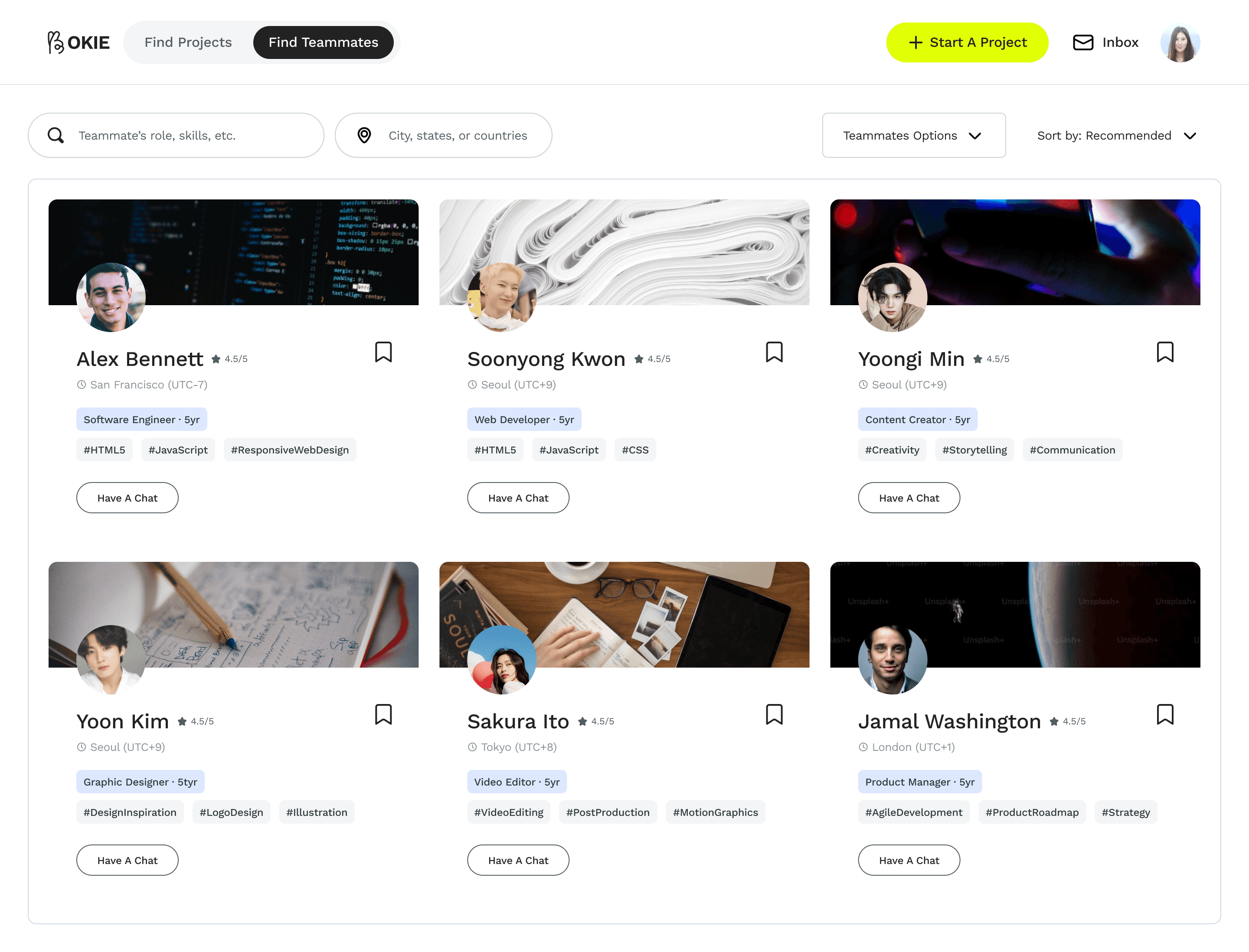
Find teammates
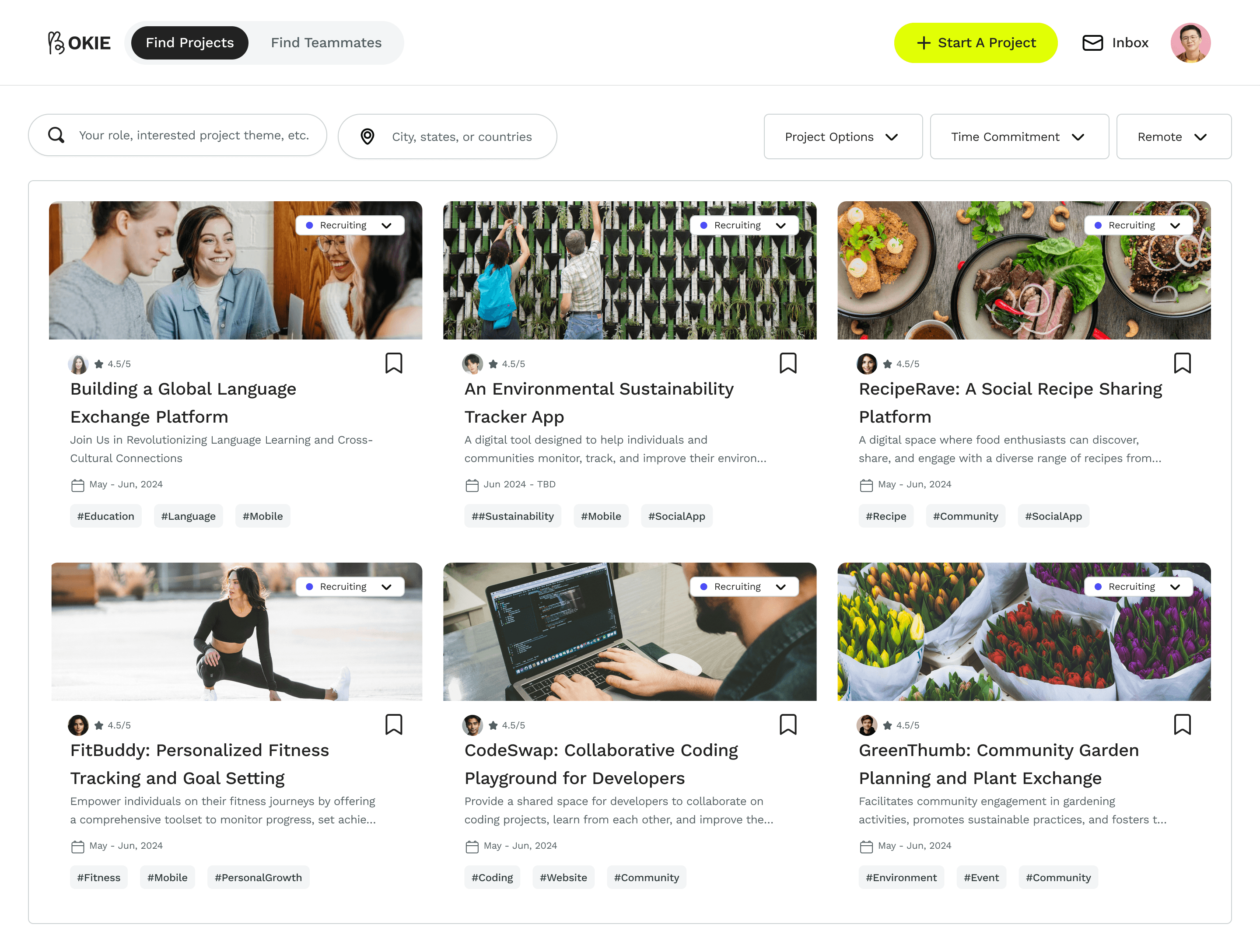
Find projects
key Solution #3
Management tool helps organizing and finding the right team strategically.
Users can save and categorize potential teammates or project teams that catch their attention. The management tool allows for easy comparison, helping them identify and connect with the best people efficiently.
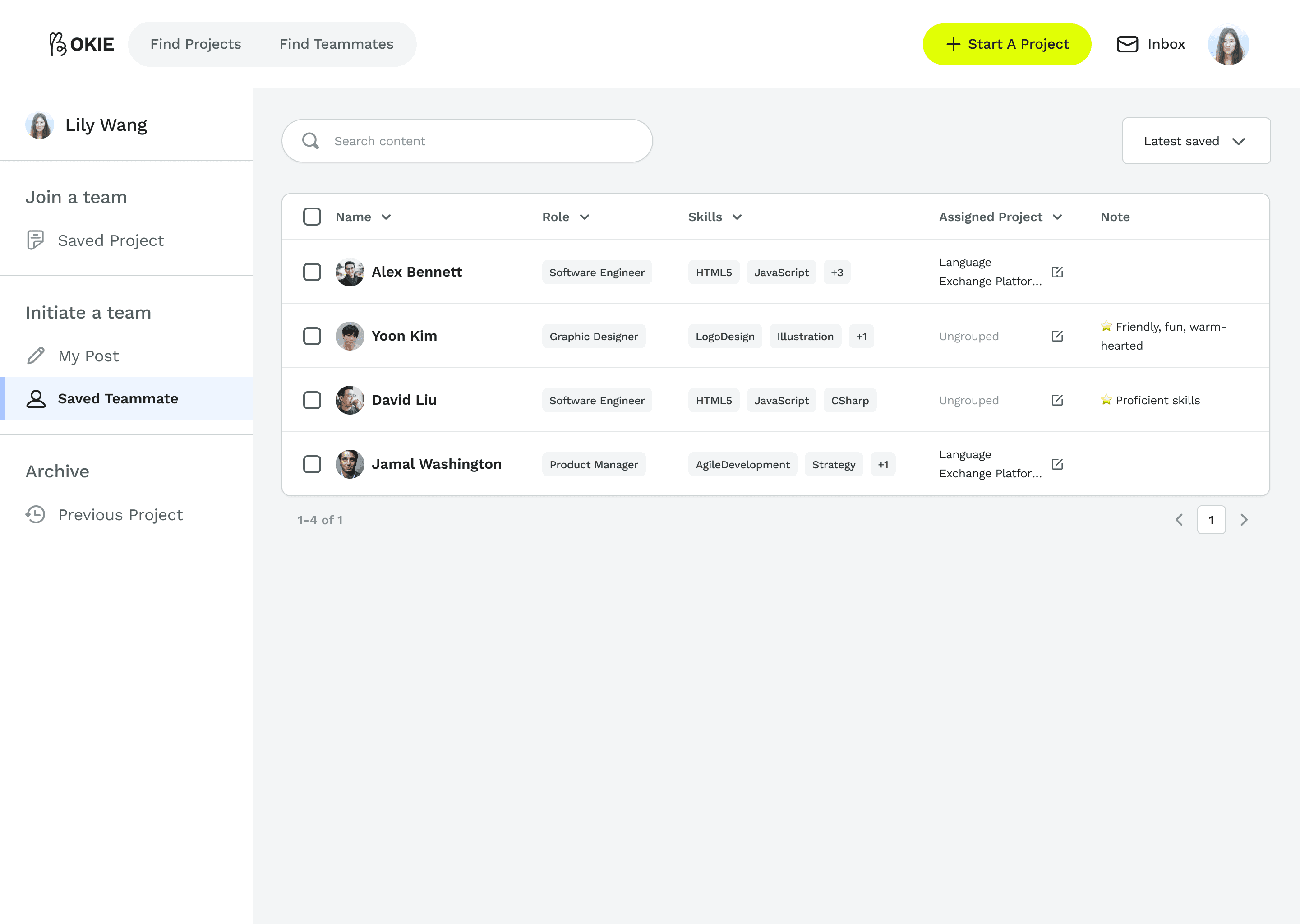
Manage saved teammates
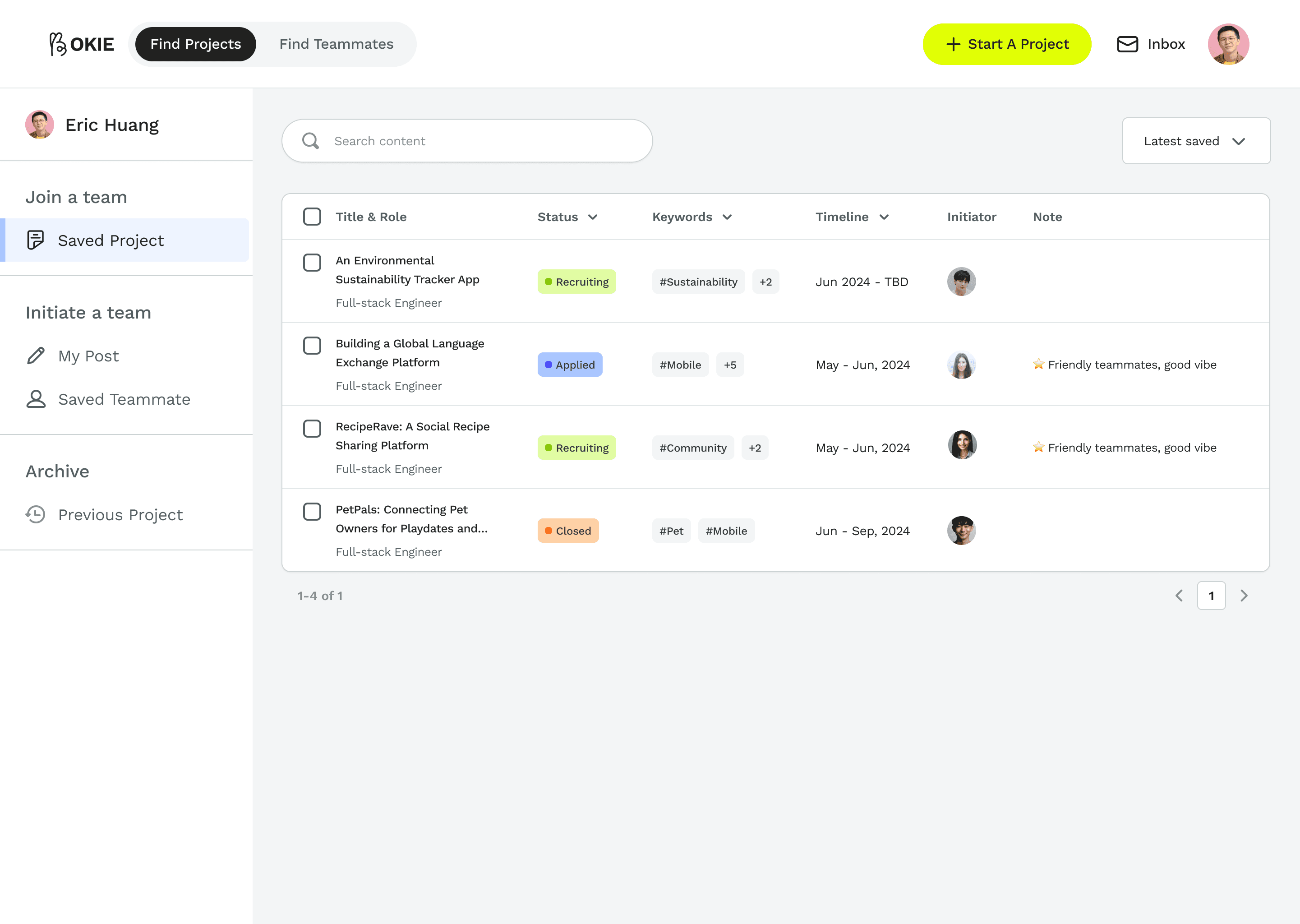
Manage saved projects
What's special about Okie?
product highlight #1
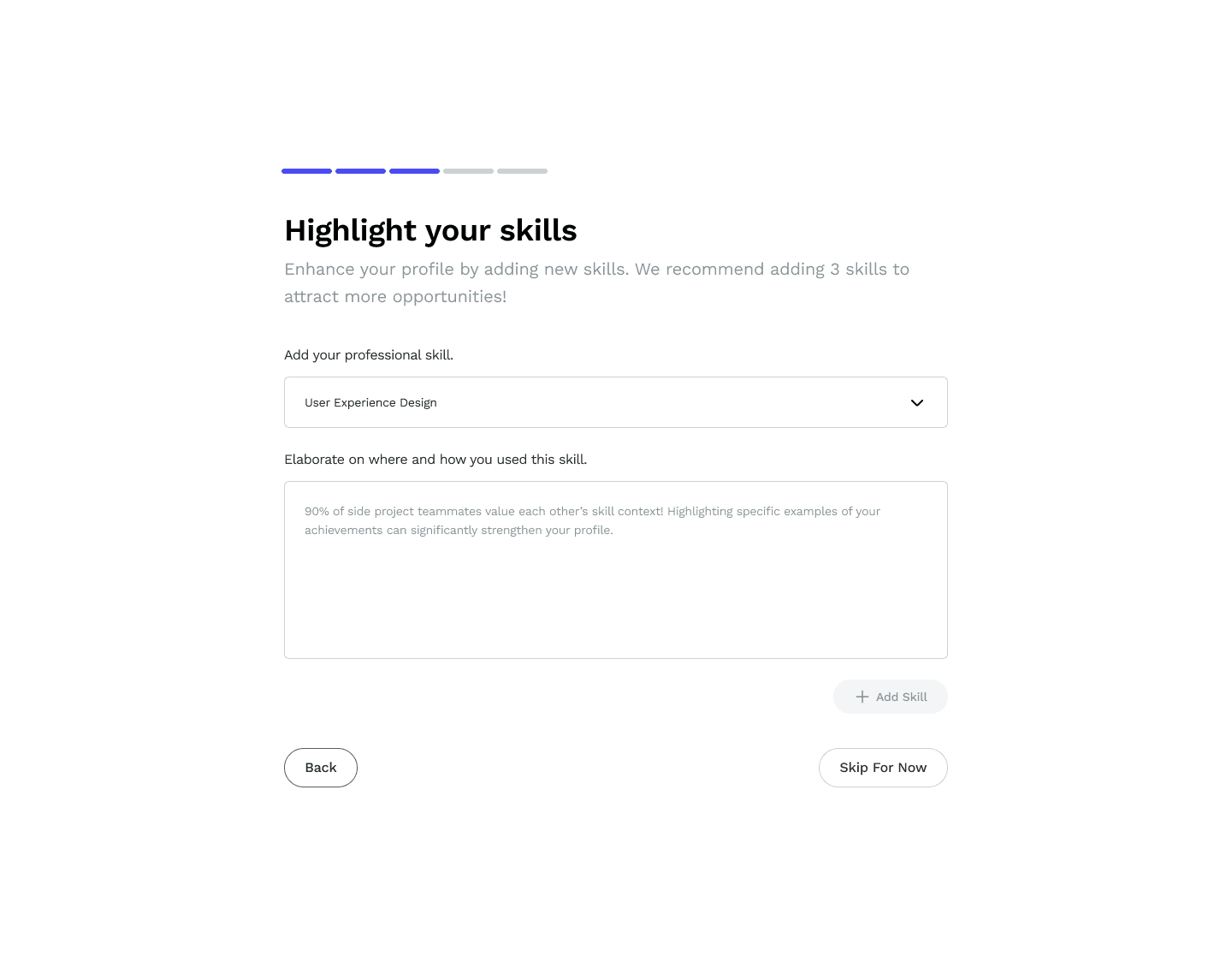
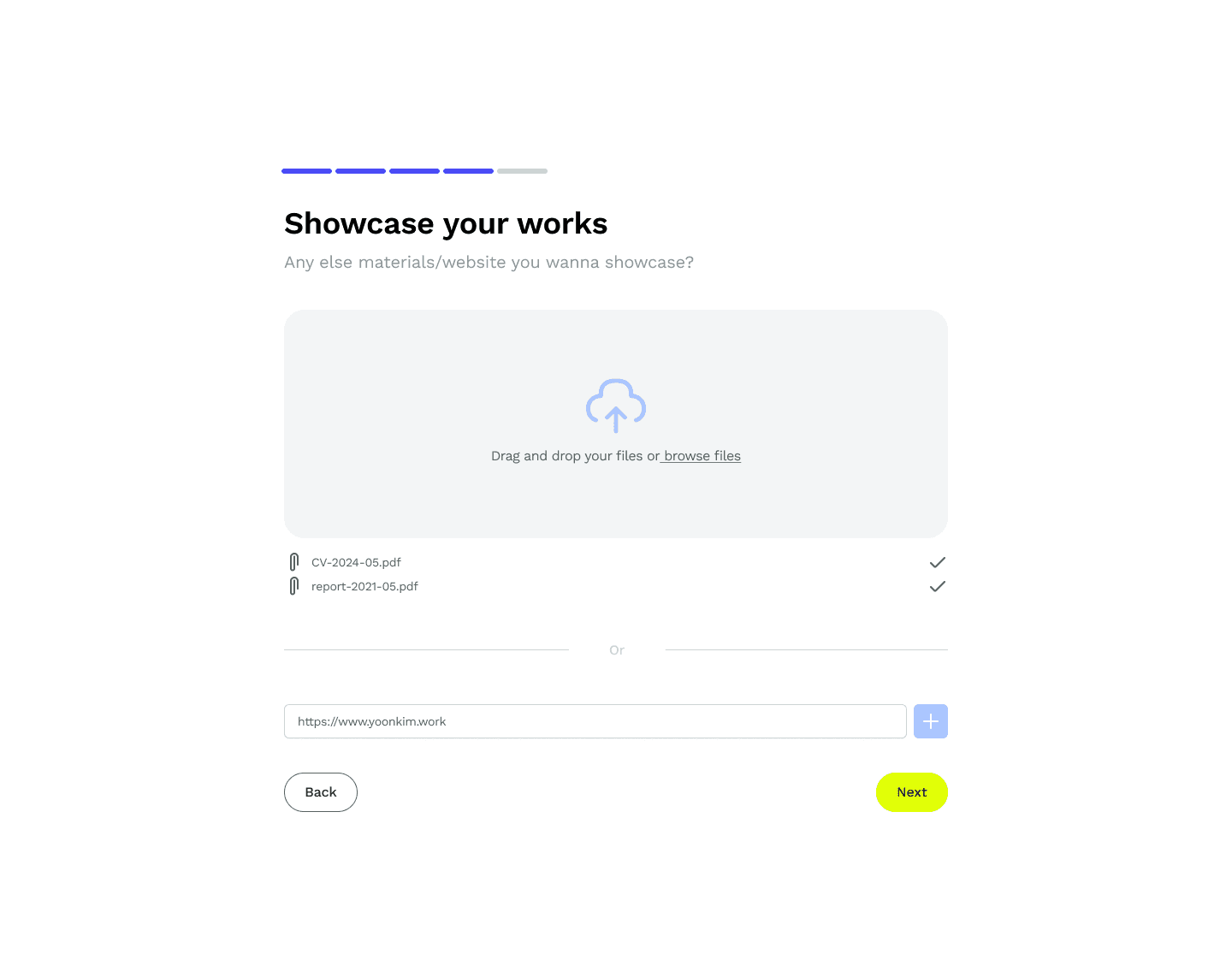
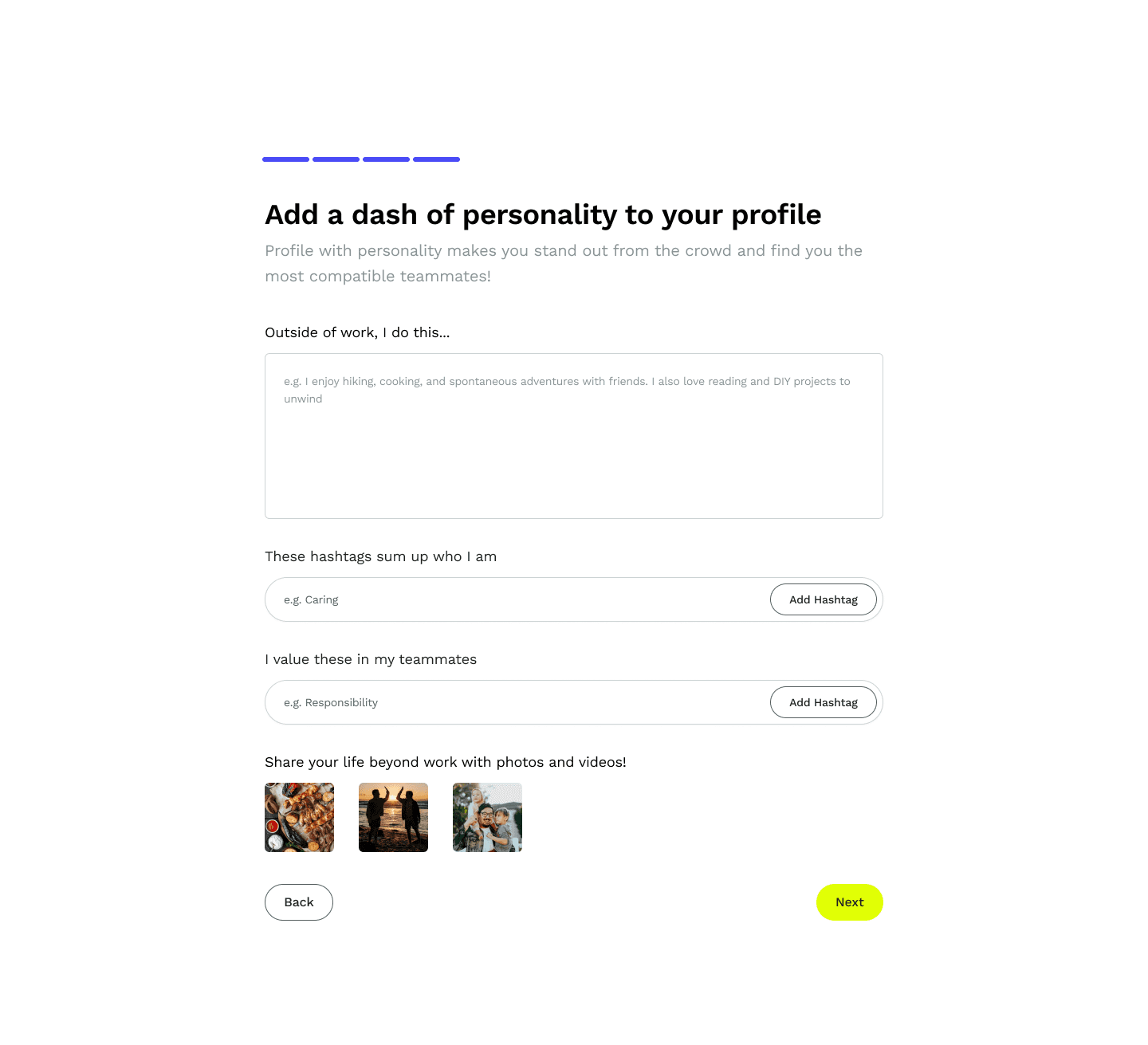
Beyond co-workers: find like-minded people.
The onboarding design guides you to share not only typical professional info but the personal side of you. Find not just 'co-workers,' but compatible friends you'll enjoy working with all the time :)
product highlight #2
Two-way communication is encouraged to foster reliable team building.
Text & oral communicating help users accurately assess compatibility. Thus, we include loads of 'Have a Chat' access points, encouraging initiators and participants to talk or even schedule meet-ups before teaming up.
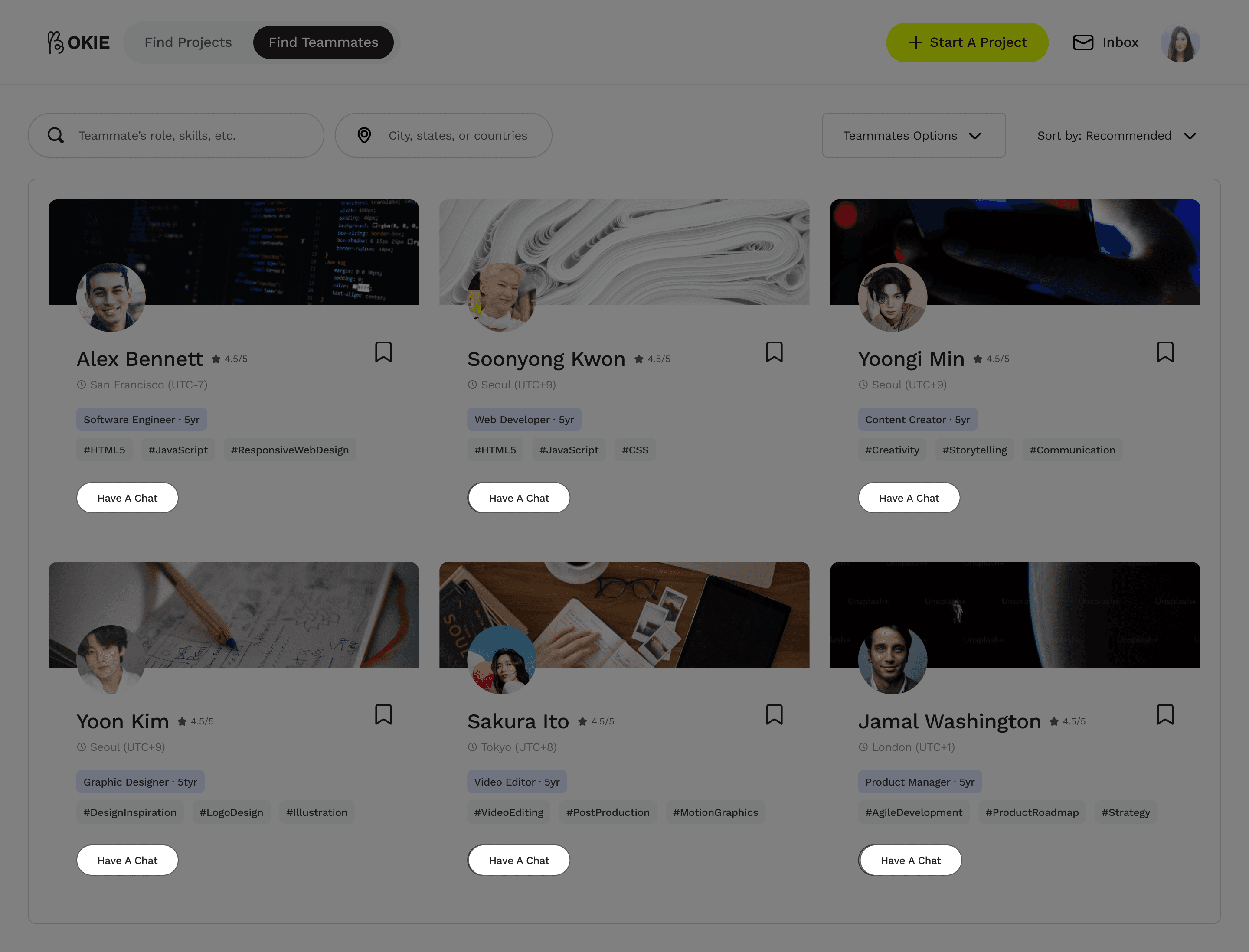
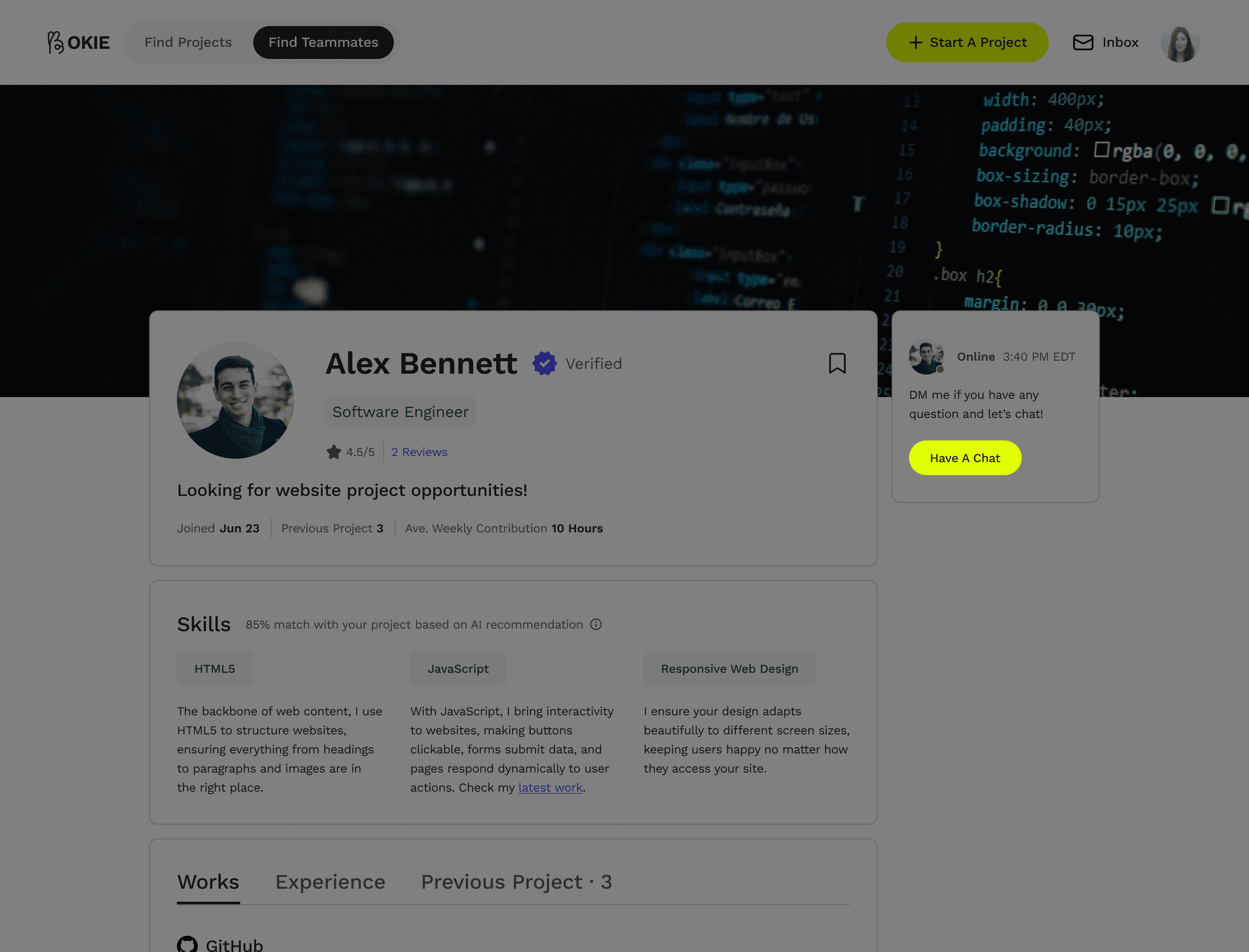
Project initiators can chat with ideal teammates anytime, anywhere.
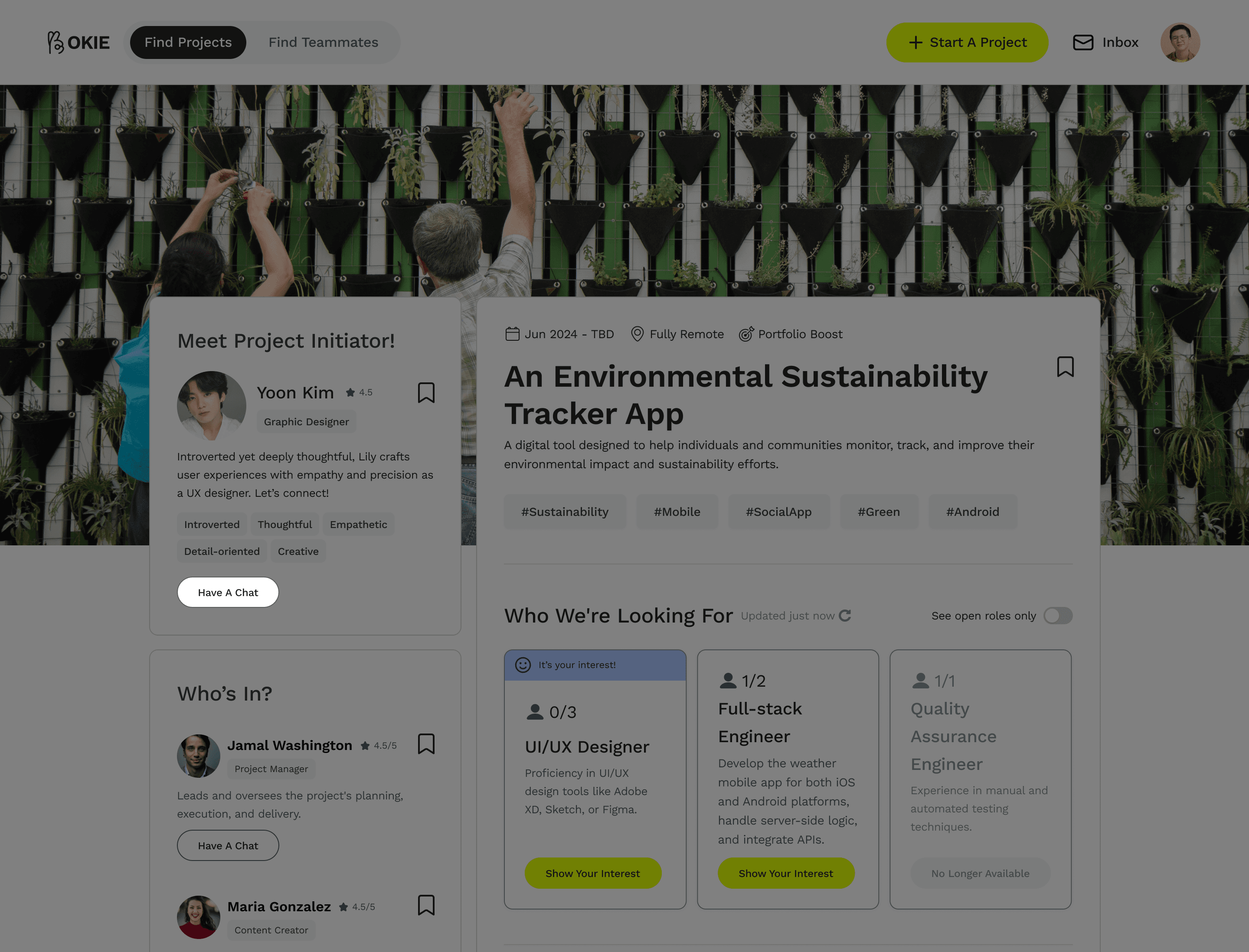
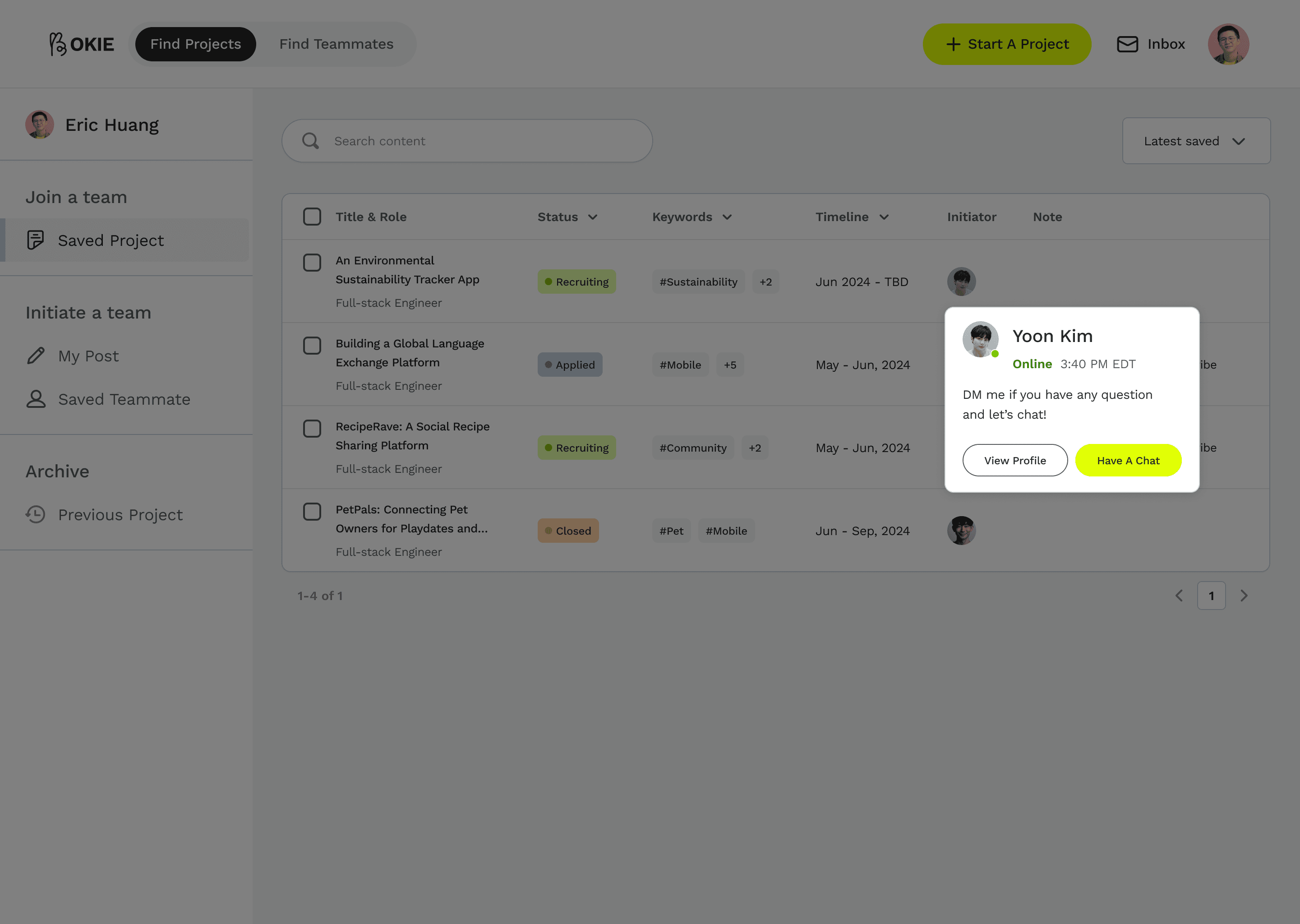
Project participants can reach out to initiators on demand. It's two-way communication.
How did we make Okie?
User survey
Getting to know our users's side project teaming experience with surveys.
We did a survey to understand the demographics and preferred tools/channels of people who’s interested in doing side projects. From 34 collected responses, we identified key patterns:
88% prefer to find teammates from direct connections
30/34 respondents prefer to team up with people they already know, like classmates, colleagues, and friends, showing their trust in direct connections.
“Verification of teammate’s work quality” is the top considered factor when selecting a platform to find teammates
The top 3 factors that influence users' decisions when choosing a platform to find teammates are 'verification of teammates' work quality,' 'ease of reaching out to potential teammates,' and 'accessibility to people's work/educational background.'
User interviews
Reveal users’ pain points in building teams with 10 qualitative interviews.
Through 10 in-depth interviews and affinity mapping, we concluded 3 top user painpoints in finding teammates and participating in side projects.
Verification
Users want to verify the background, experience, and work quality of potential teammates.
Trustworthiness
Users lack trust in working with complete strangers.
Communication
Users prefer to have real-time conversations with potential teammates before teaming up.
persona / journey maps
Visualize user goals and challenges to streamline experiences and uncover product opportunities
To address the differences we discovered through interviews, we created 2 personas:
Project Initiator, who has project ideas in mind
Project Participant, who wants to join a project team.
These personas and journey maps drive user-centered design to meet diverse user expectations.
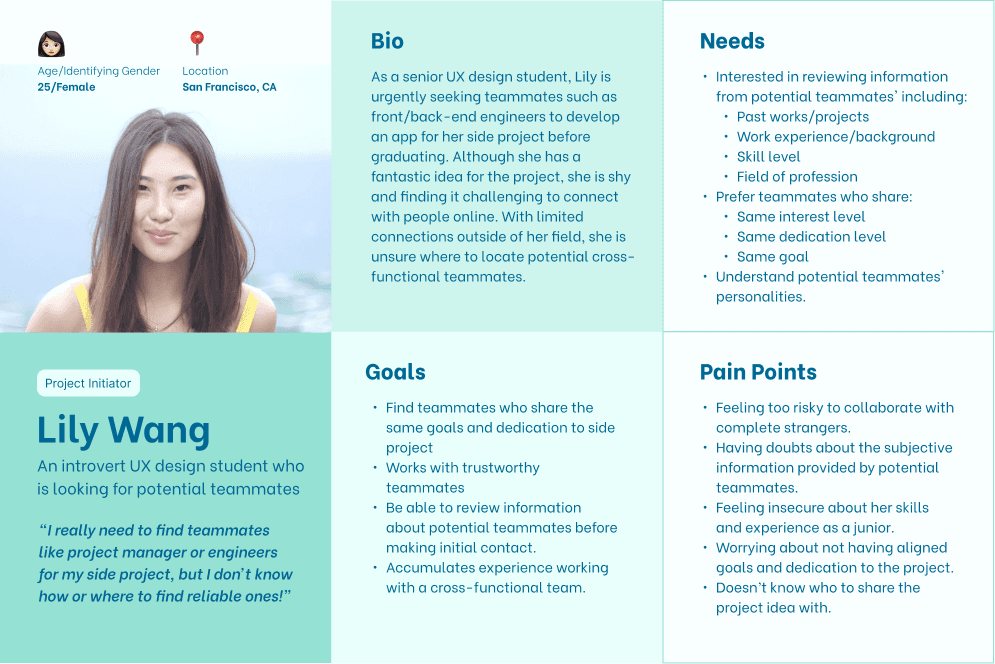
Project Initiator Persona
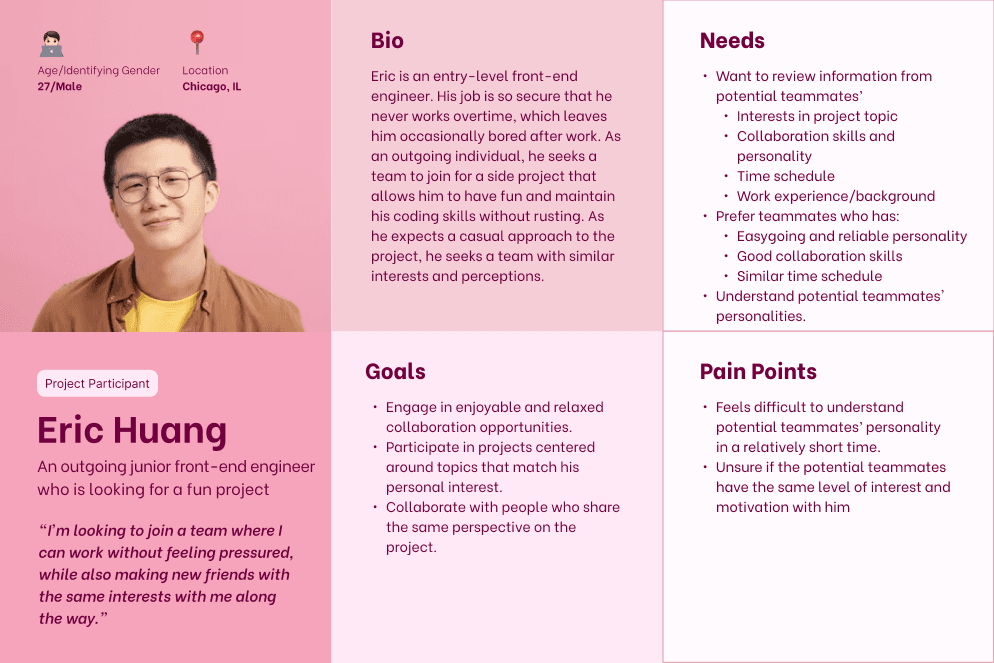
Project Participant Persona
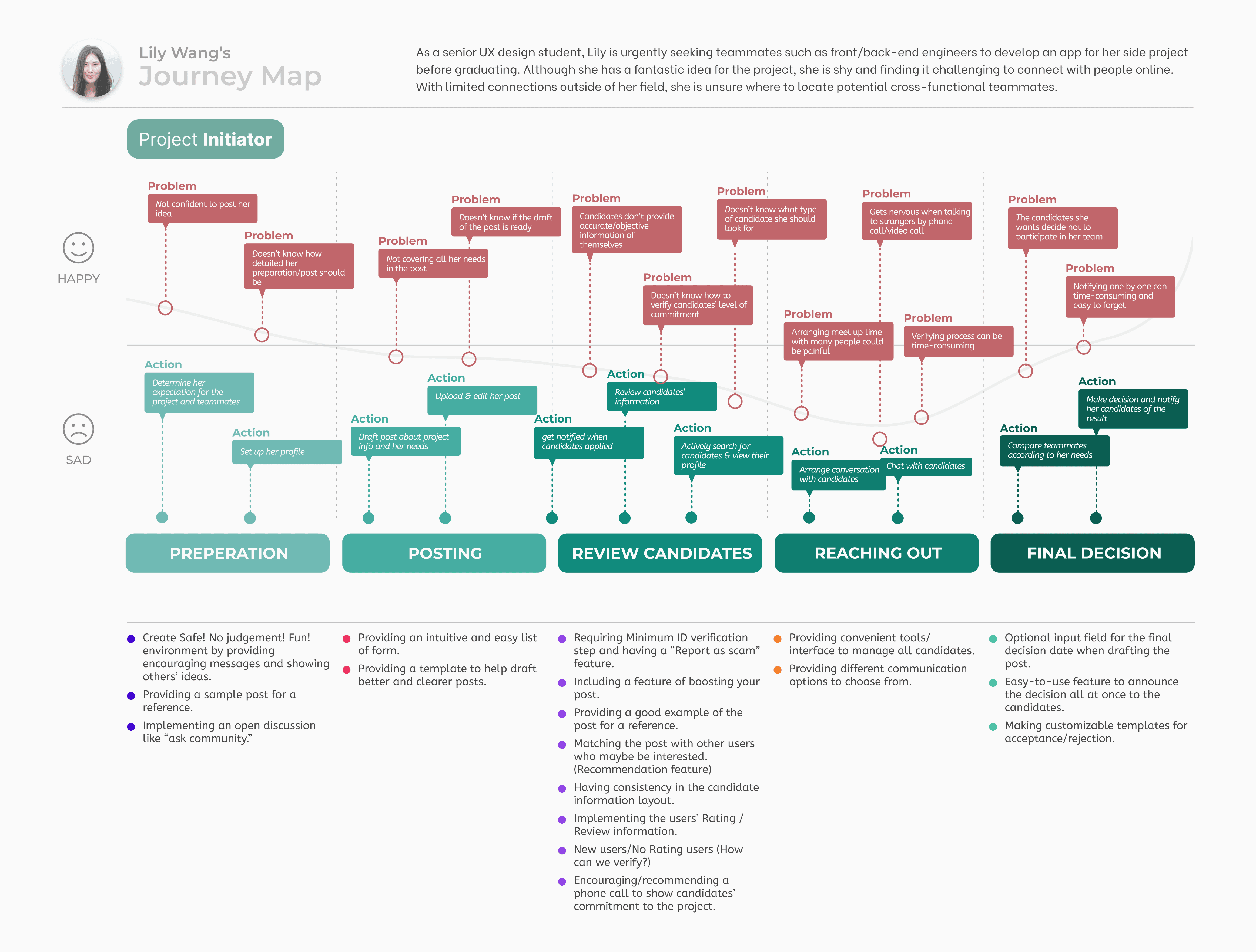
Project Initiator Journey Map
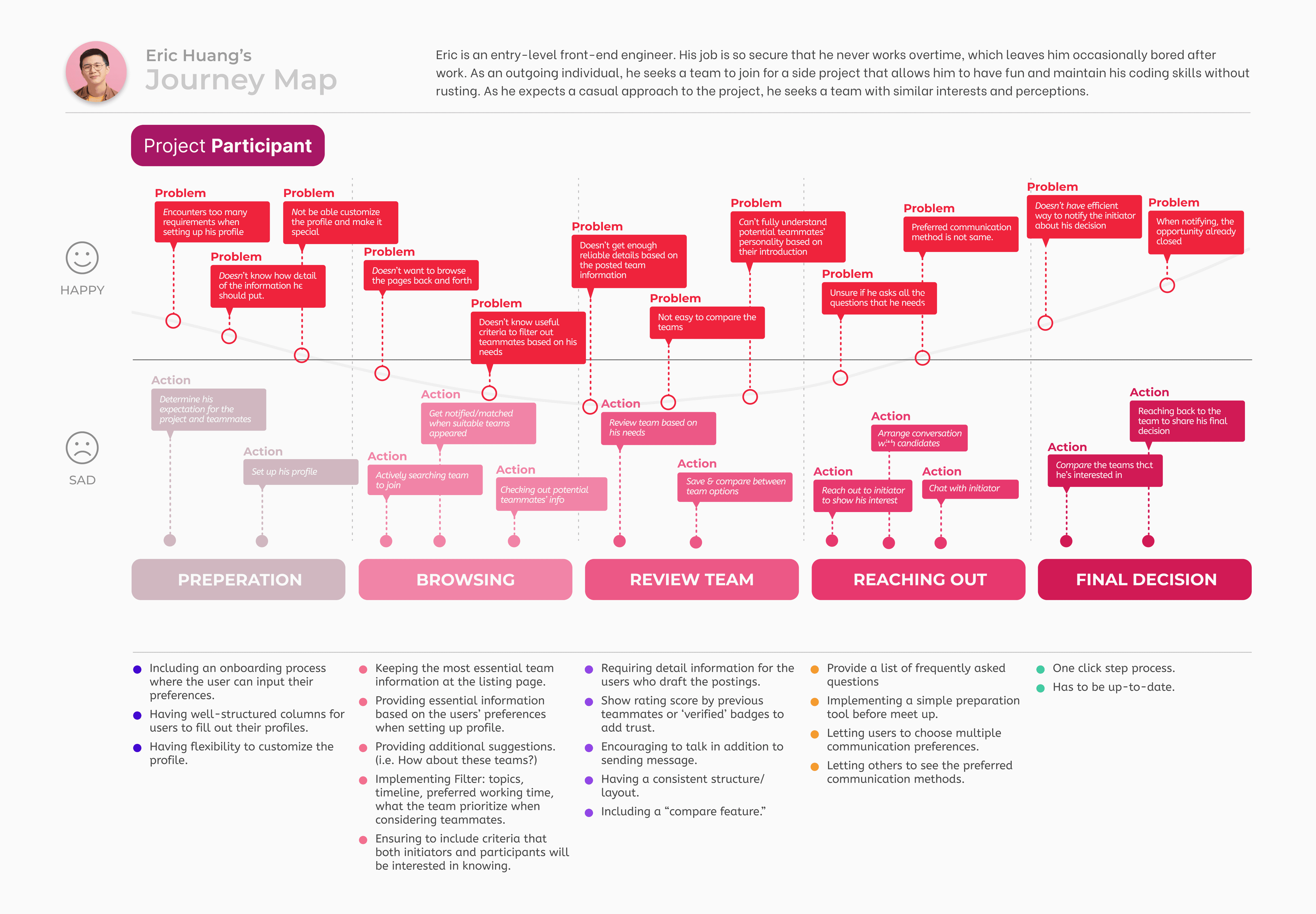
Project Participant Journey Map
user problem statement
“As an early career professional, I need information assurance and efficiency to team up with individuals who match my preferences for side projects.”
HMW question
How might we foster efficient and reliable information exchange to facilitate early career professionals in teaming up with individuals who match their preferences for side projects?
Ideation
Explore inspiration from existed products.
To kickstart the design process, we analyzed 6 competitor platforms that people use to find side project connections, evaluating their reliability, efficiency, and the information sufficiency provided.
We also did lightning demos to gain these feature inspirations:
Succinct onboarding
Filters to sort teammates/projects
Card design
Verification system
Feature to encourage communication
Ideation
Gather insights & brainstorm design solutions.
Building on our exploration, we identified key design ideas to address the problem statement and brainstormed ways to integrate them into the product.
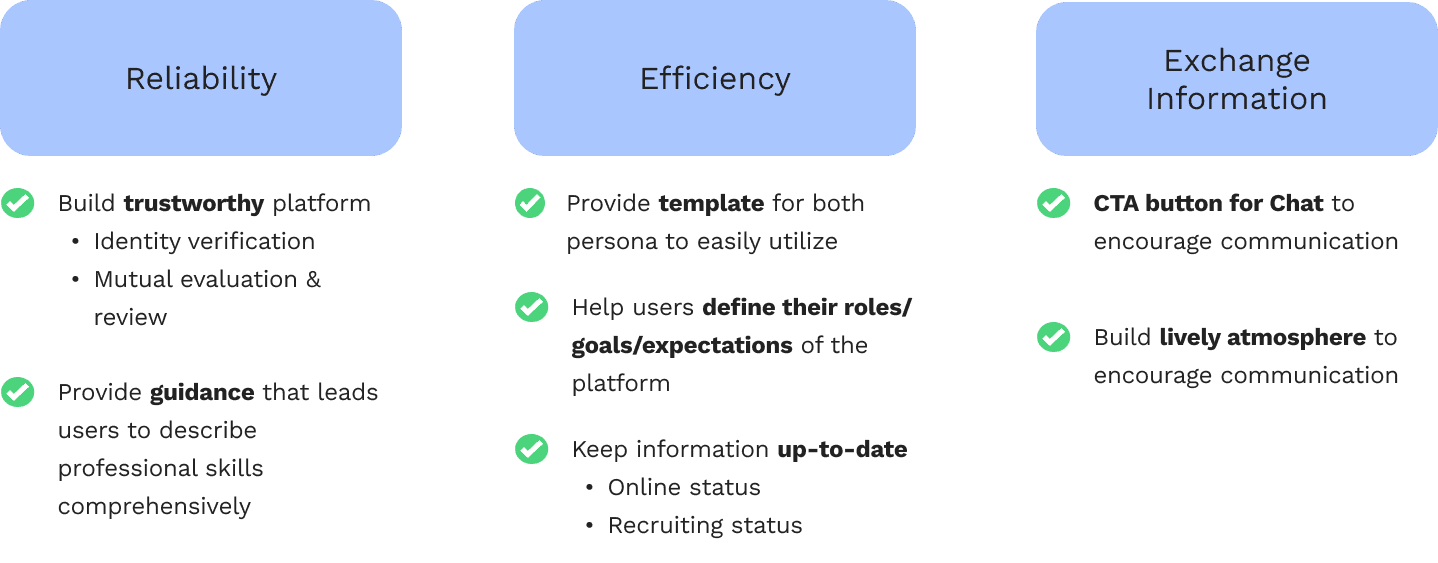
Key design solutions
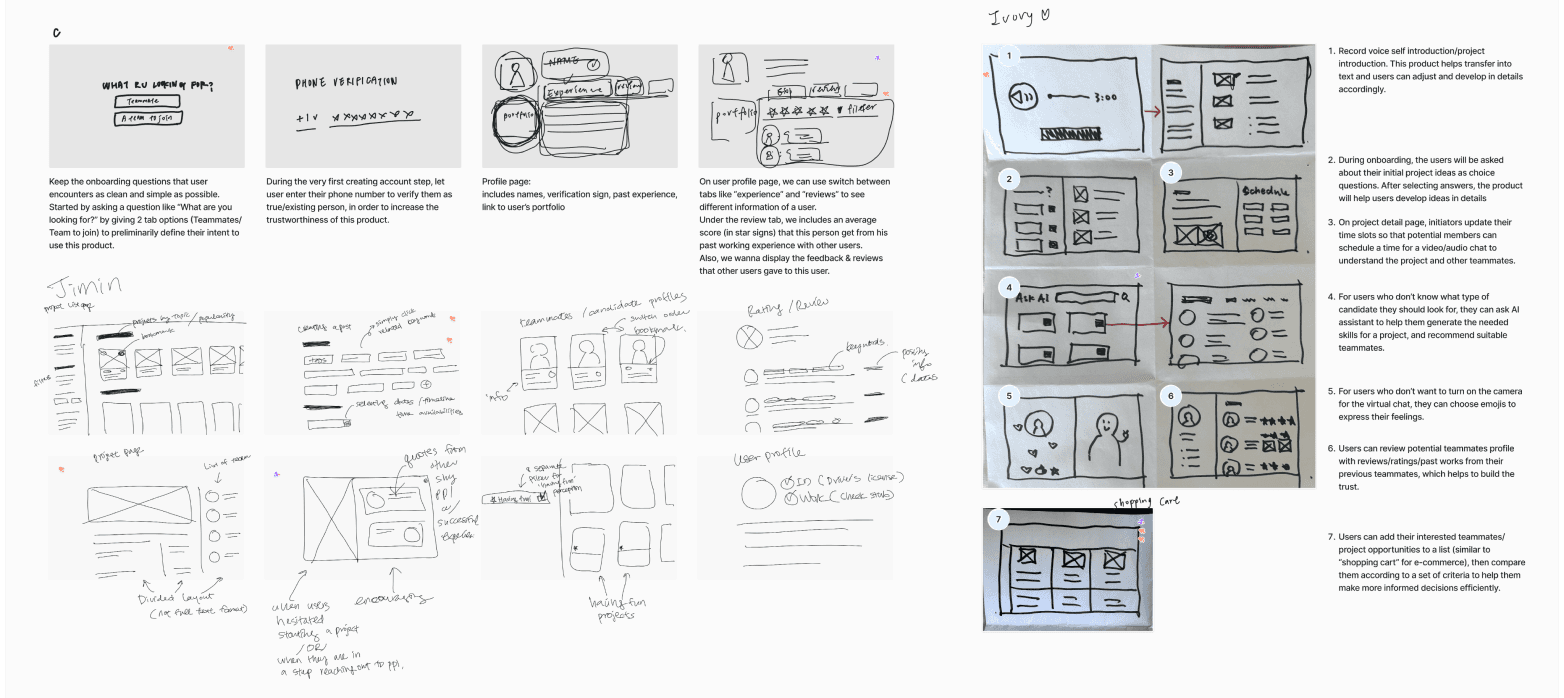
Brainstorming possible product features
Preliminary design
Define task flows.
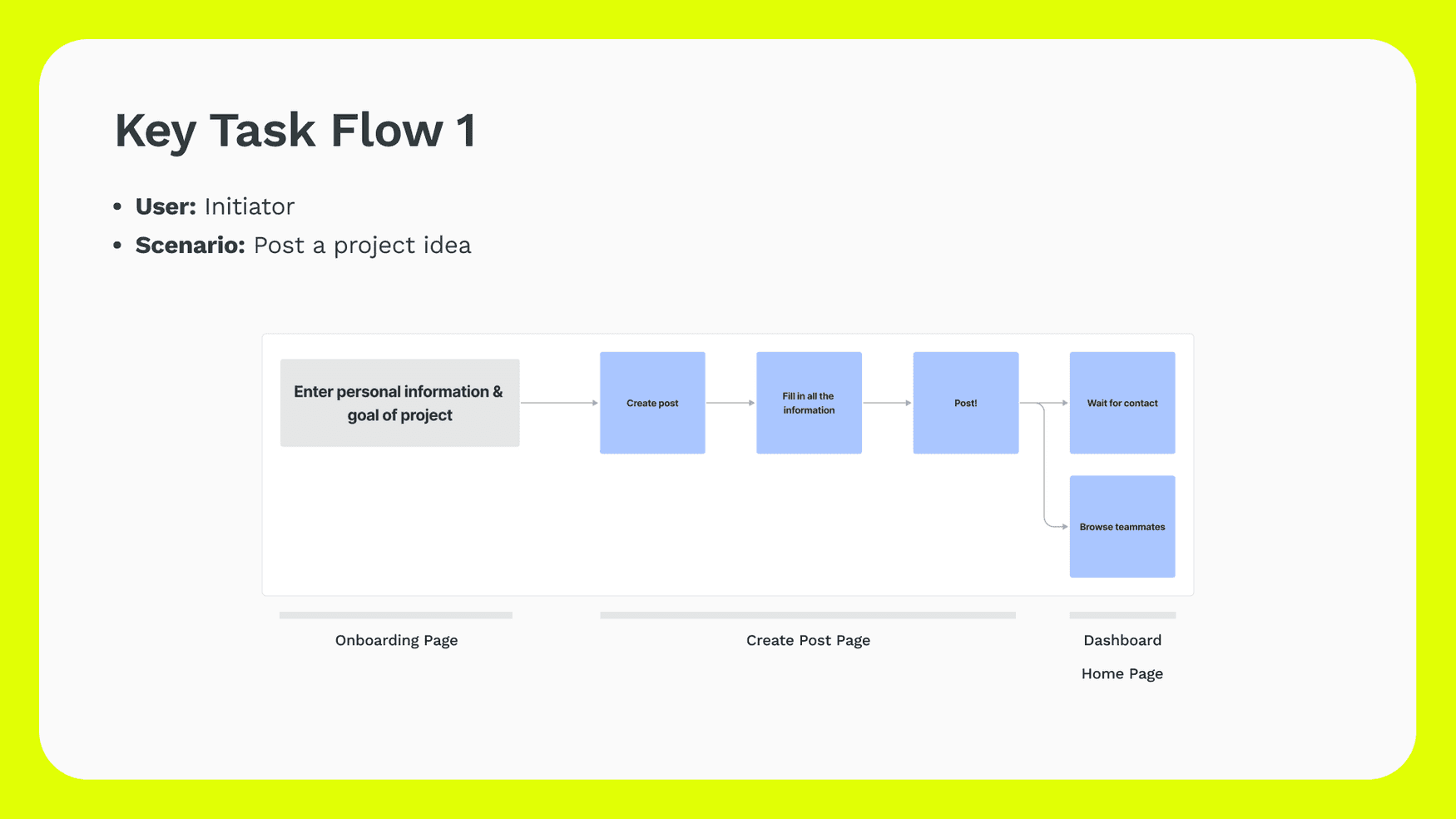
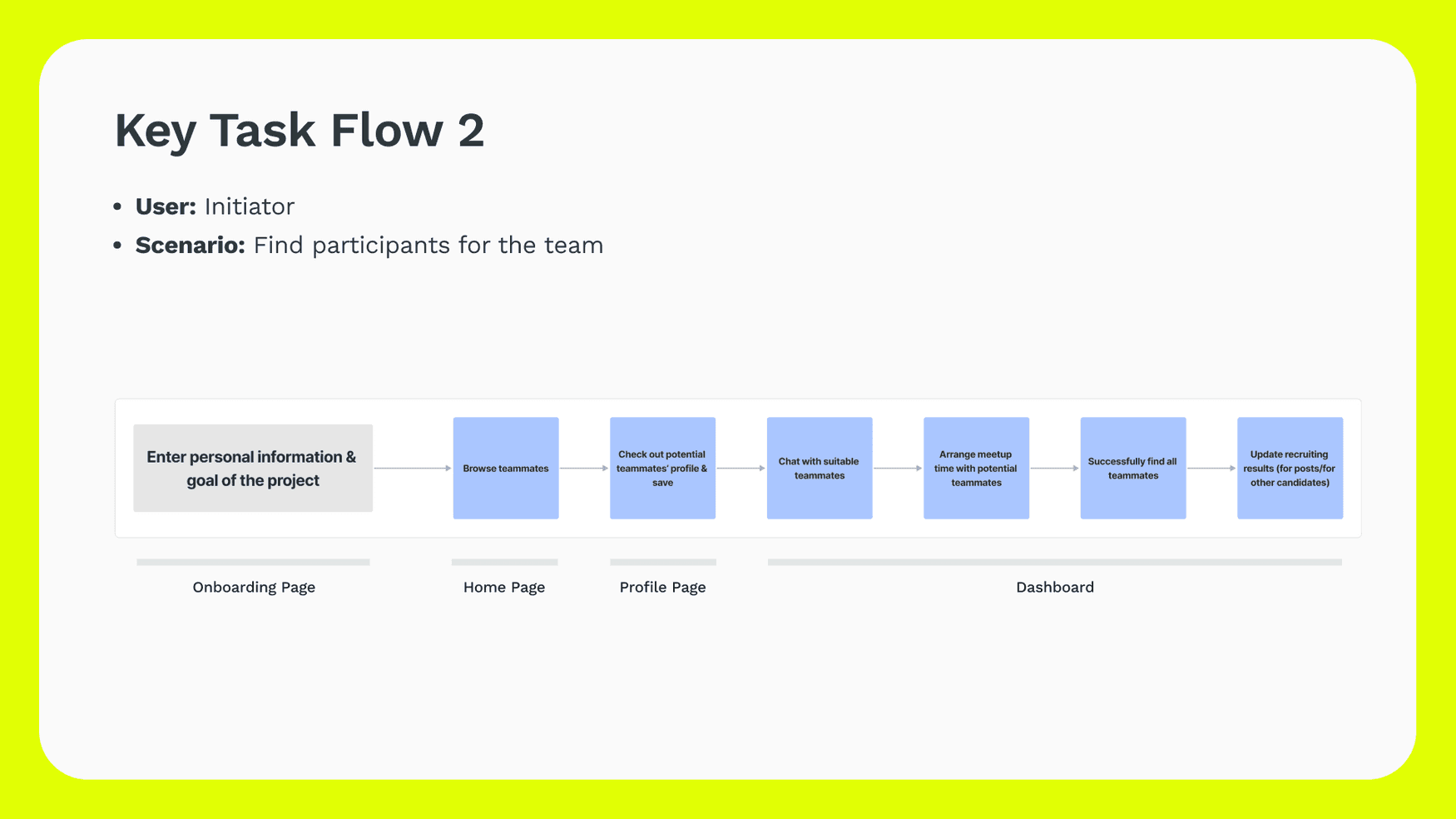
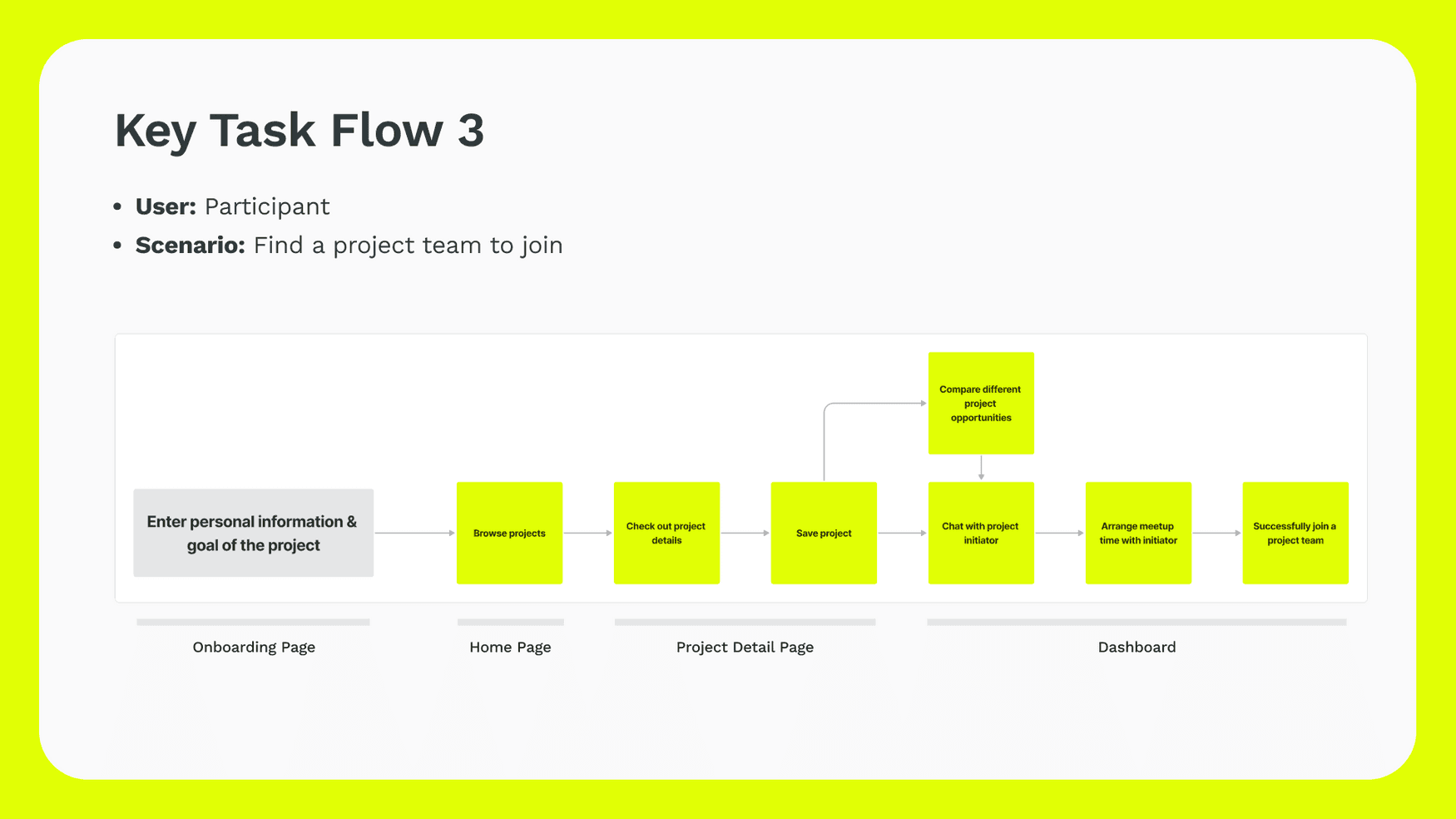
To begin, we mapped out 3 essential task flows to ensure core features are intuitive.
Focus on structure and functionality with mid-fidelity wireframes.
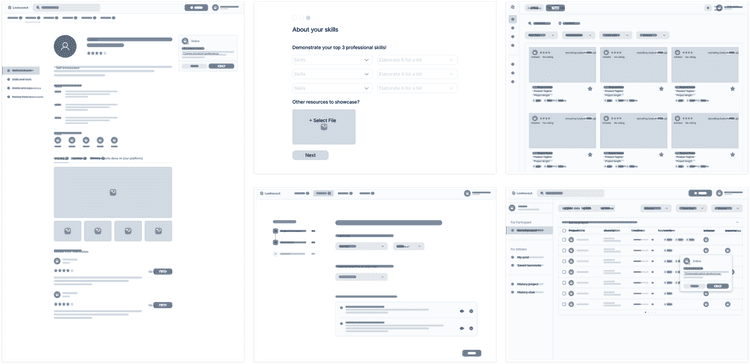
We built mid-fi wireframes to transform feature ideas into tangible interfaces, only focusing on experimenting layouts but not visuals.
Define style guide to emphasize product’s positioning.
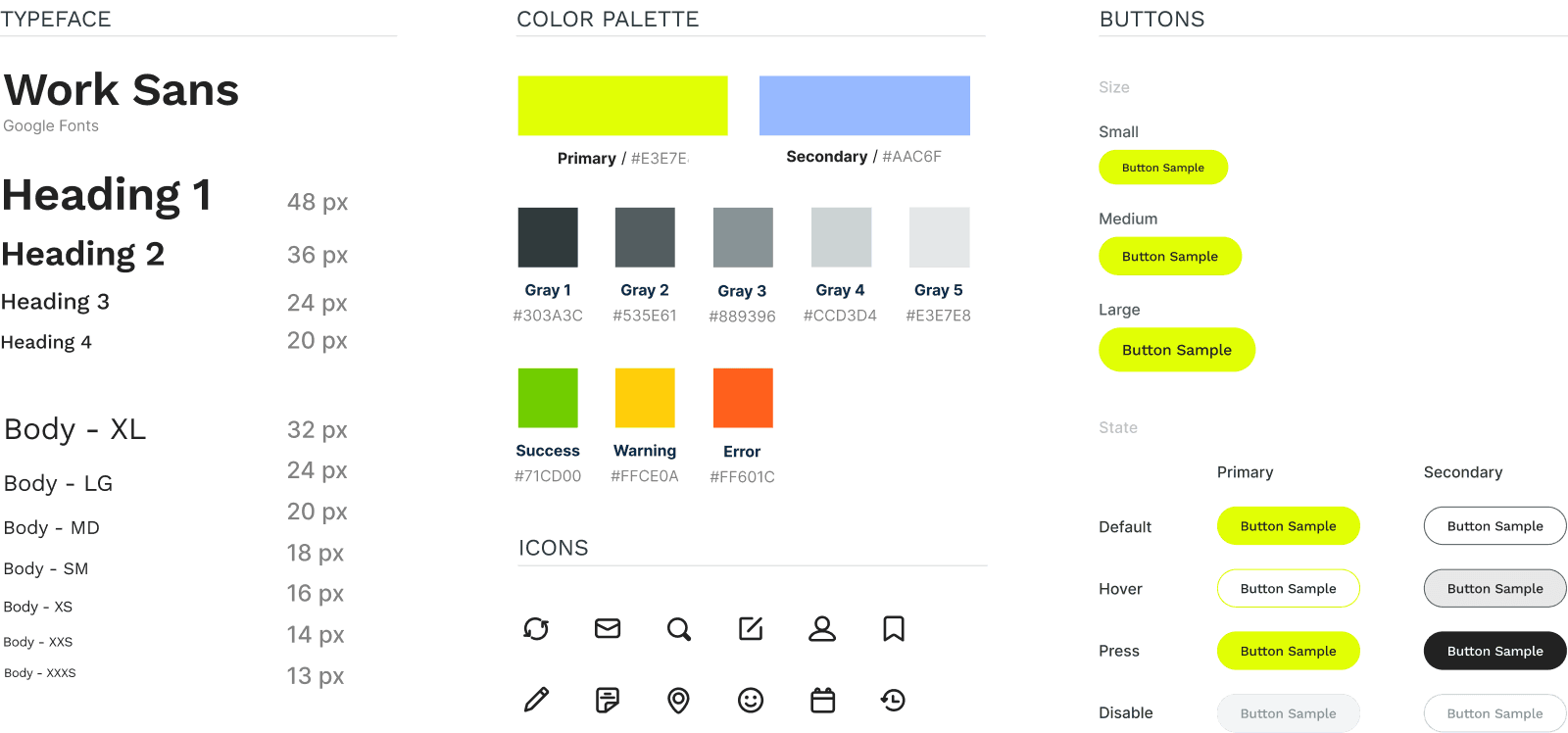
Our style guide embodies a lively and approachable vibe, striking a balance between professionalism and friendliness.
Key iterations
usability testing
Conduct moderated user test to assess the feasibility and obstacles of main features.
6 Participants used the hi-fi prototype to complete tasks based on 2 persona scenarios. We also asked follow-up questions to gain their feedbacks on the product.
iteration #1
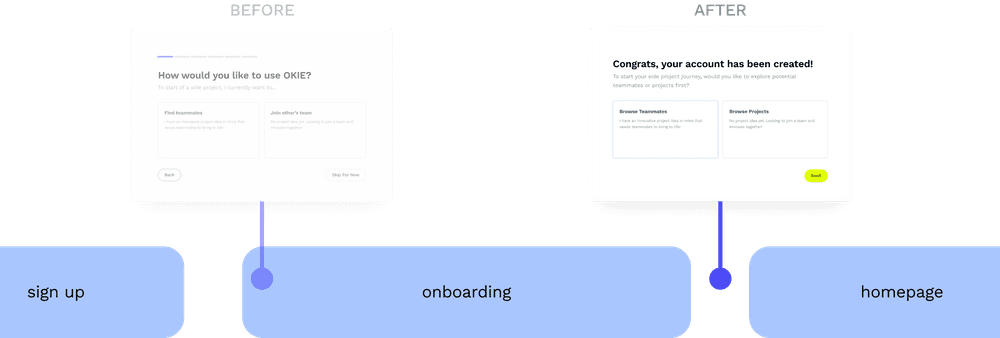
Adjust ‘intention setting’ flow for better guidance & transition
6 Participants used the hi-fi prototype to complete tasks based on 2 persona scenarios. We also asked follow-up questions to gain their feedbacks on the product.
iteration #2
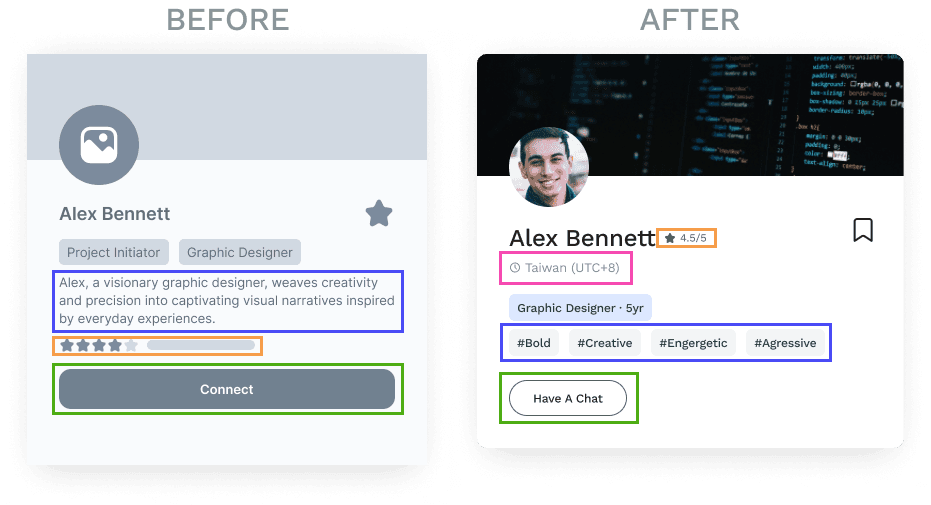
Restructure teammate card layout to include more intuitive details
Based on user test feedback, we replaced long text with personality tags, renaming 'Connect' button to 'Have a Chat', adding time zone of the user to indicate working hours compatibility, and compacting star ratings for a concise layout.
iteration #3
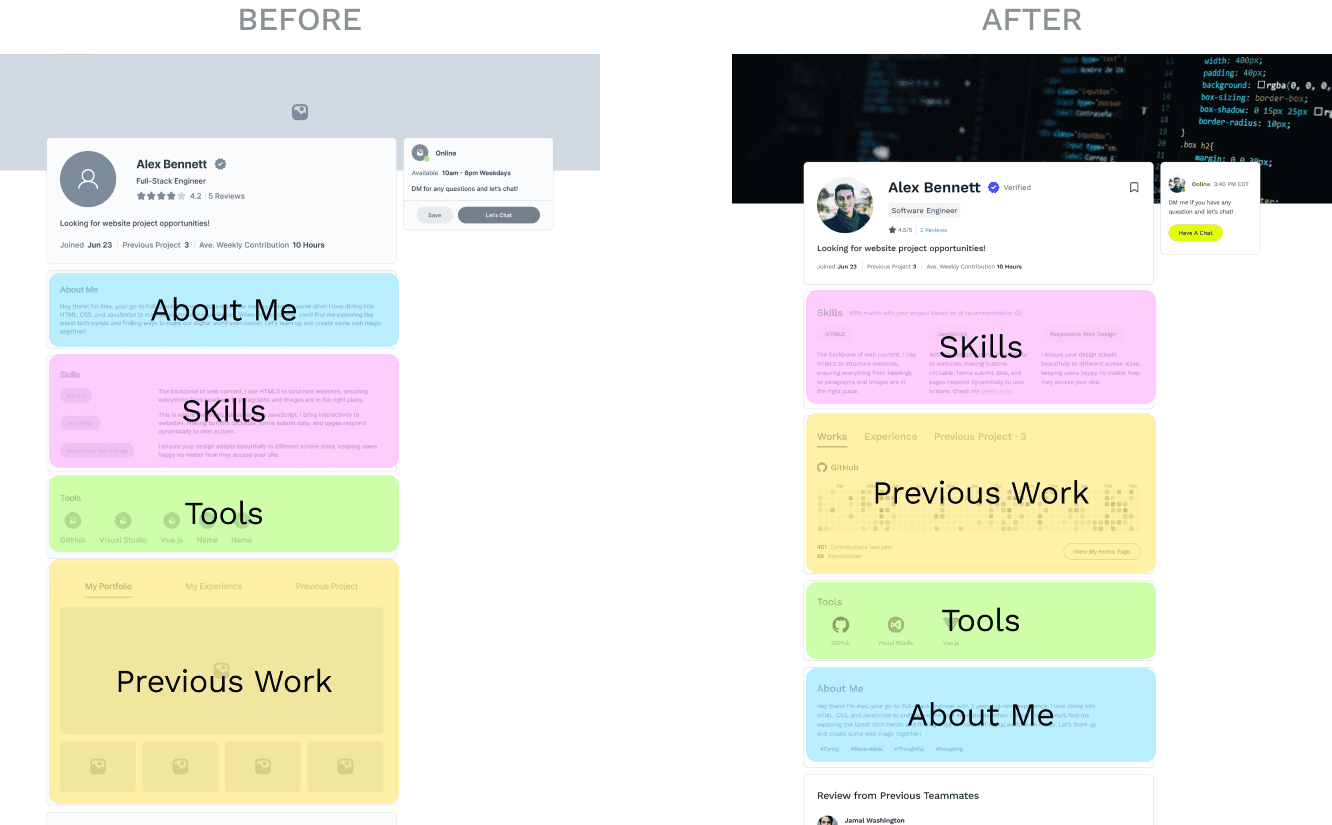
Prioritize skills and experience in users’ profile page
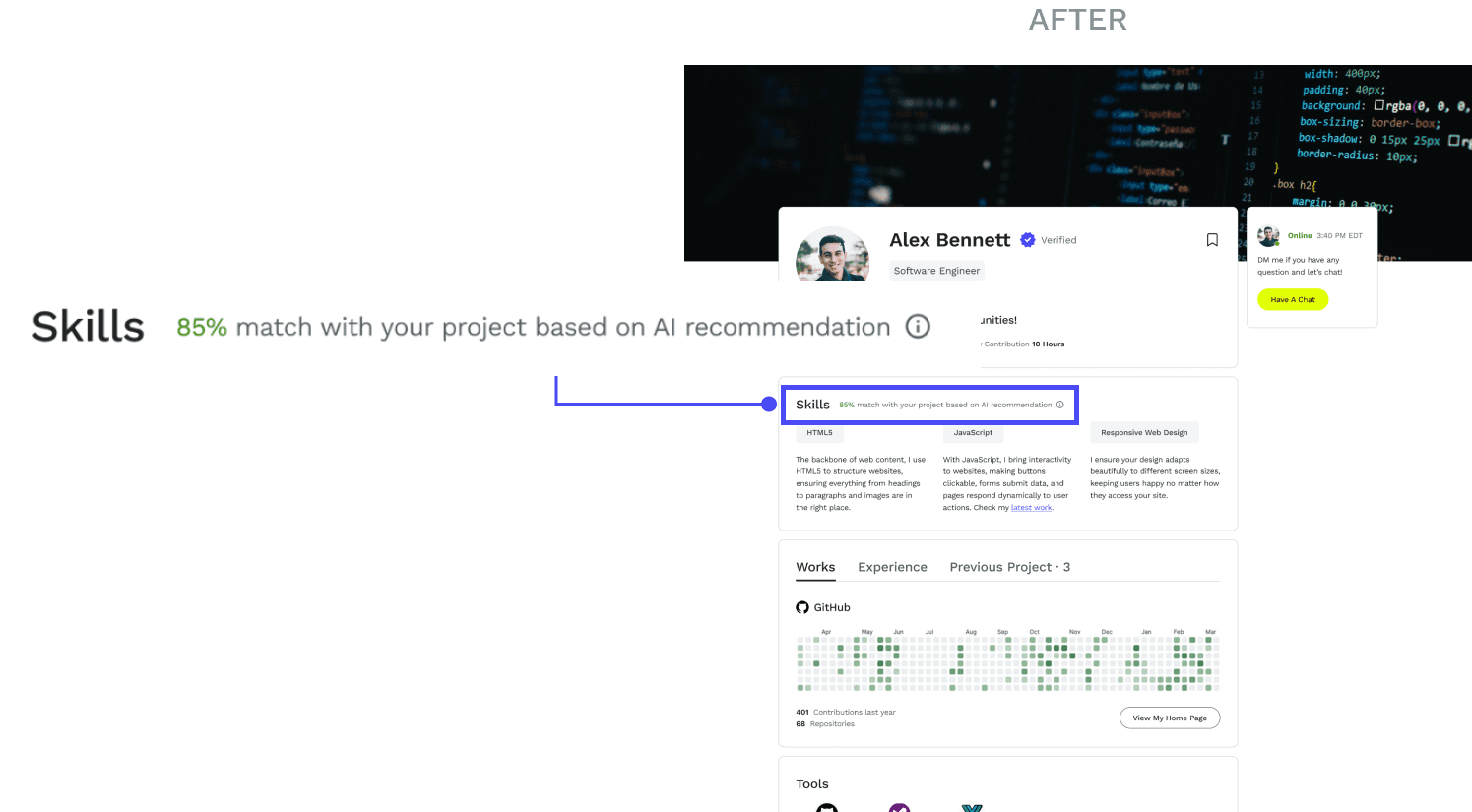
On profile pages, we prioritized users’ skills and past work experience on the top because when reviewing teammates, most users value them more than personal introductions.
Considering the project initiator's perspective, we also added a small AI recommendation feature to show how well the other user matches the project needs you've specified.
Outcome
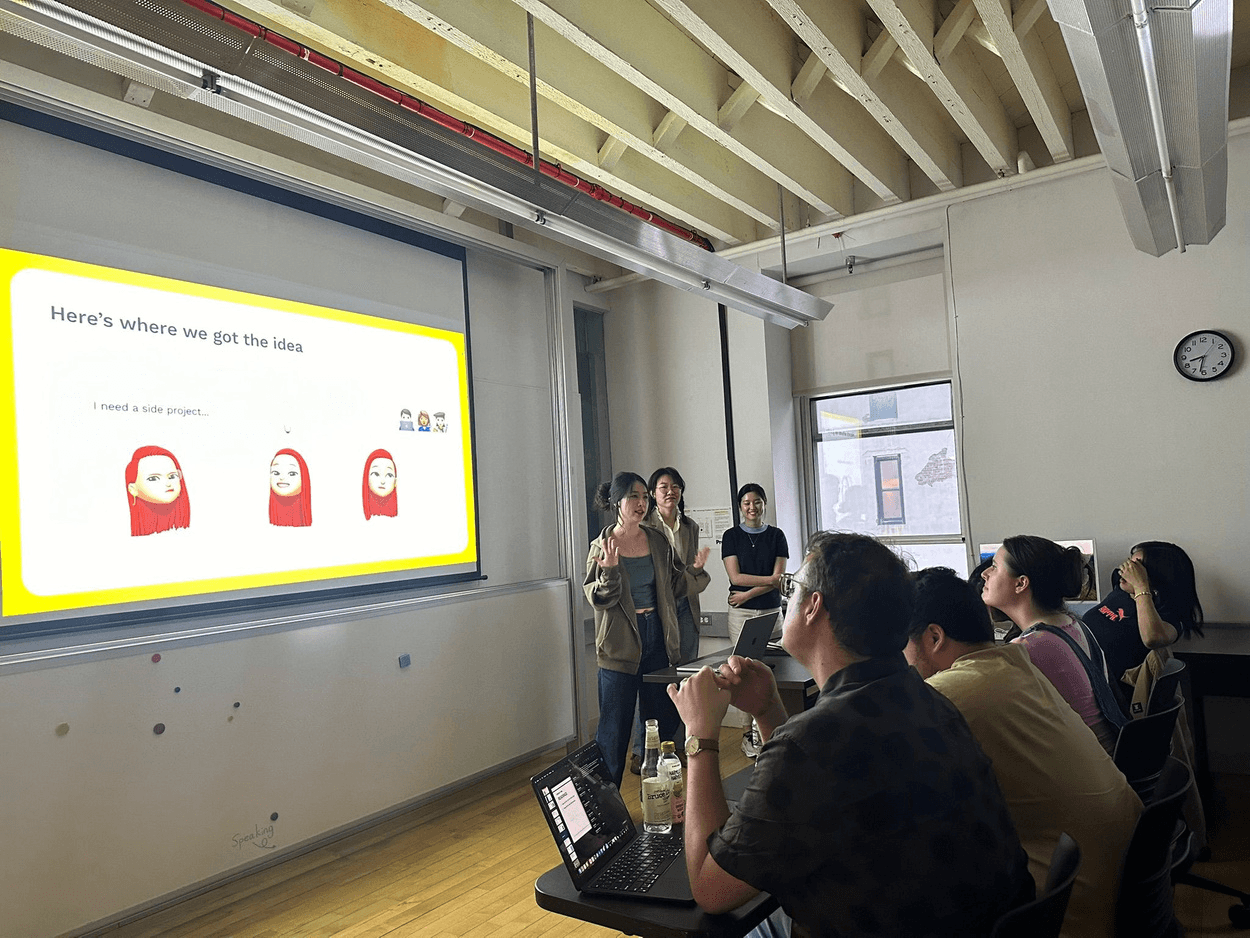
We compiled OKIE's design process into a presentation and shared it with five professional product designers who worked in industry for feedback. They loved our storytelling, calling it a comprehensive and detailed development journey. Our design also sparked their ideas on how to bring the product to life.
takeaways
What I learned &
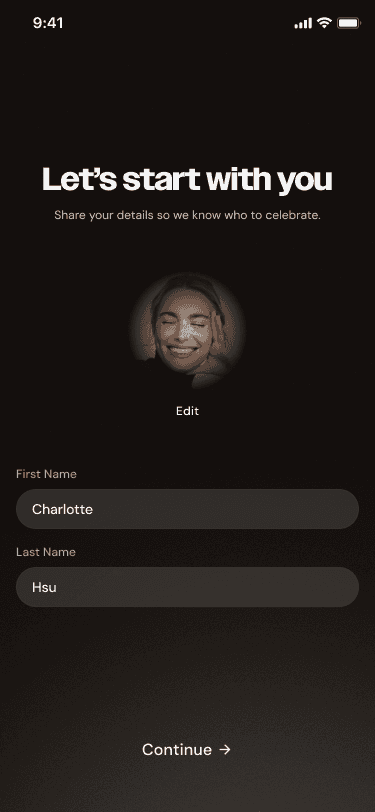
As TFC 2.0 moves toward its full launch, I have identified key performance indicators (KPIs) to monitor. These metrics will validate our "Taste-Driven" hypothesis and guide the next phase of product optimization.
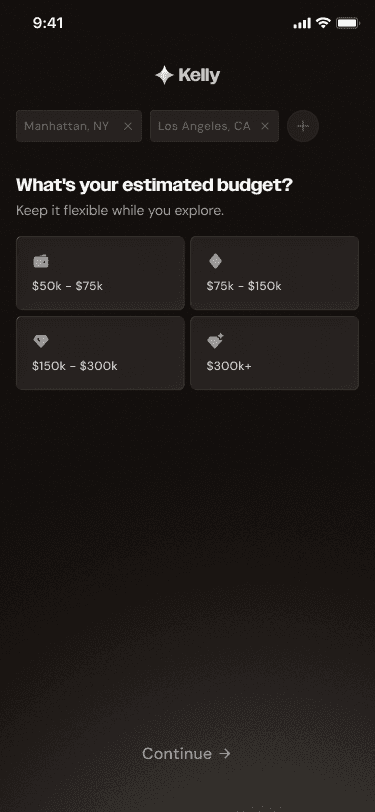
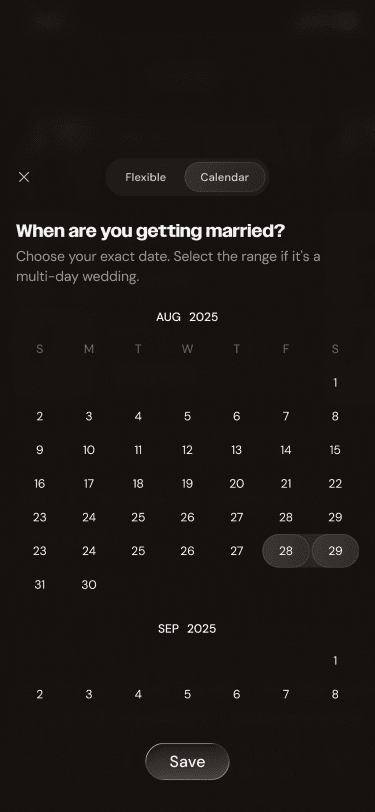
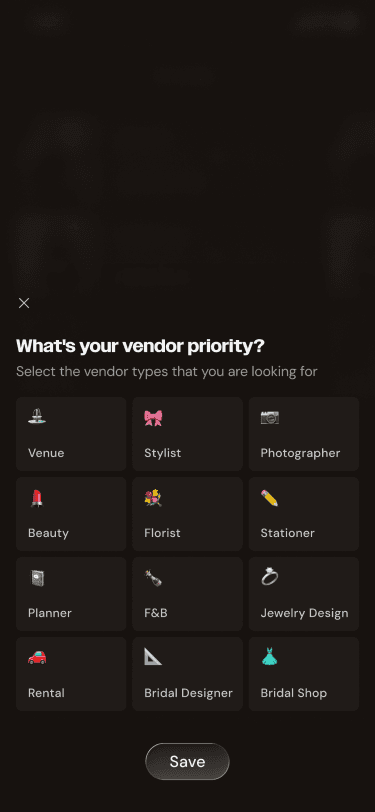
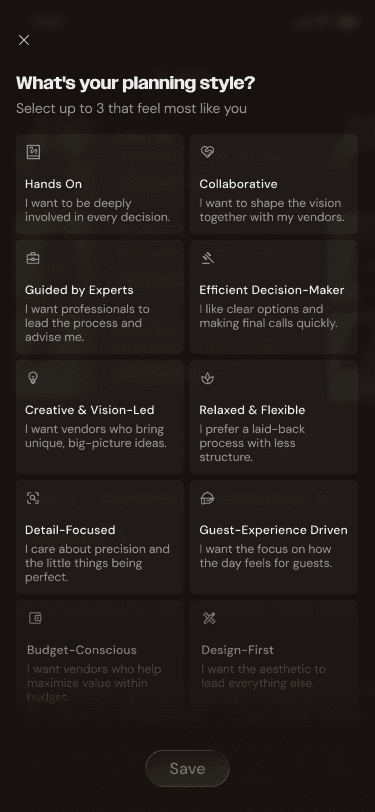
Onboarding Completion Rate: To verify if the "Momentum-Driven" onboarding effectively reduces drop-offs while successfully capturing the 9 critical data points.
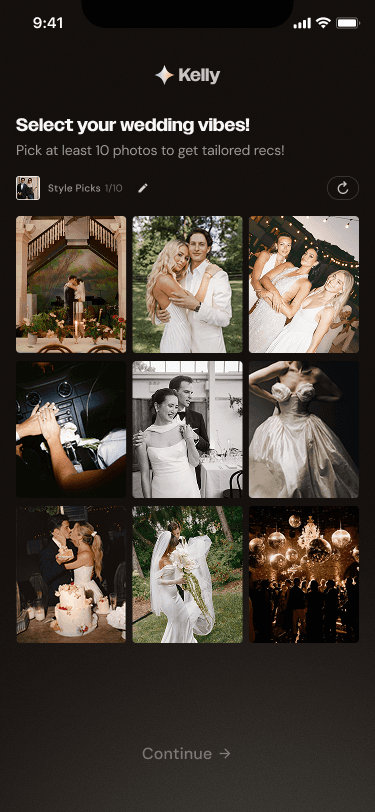
Match-to-Connection Conversion: To measure the effectiveness of the "Match Rationale" and "Collective Taste" engine—specifically, how often a recommended vendor leads to a user inquiry.
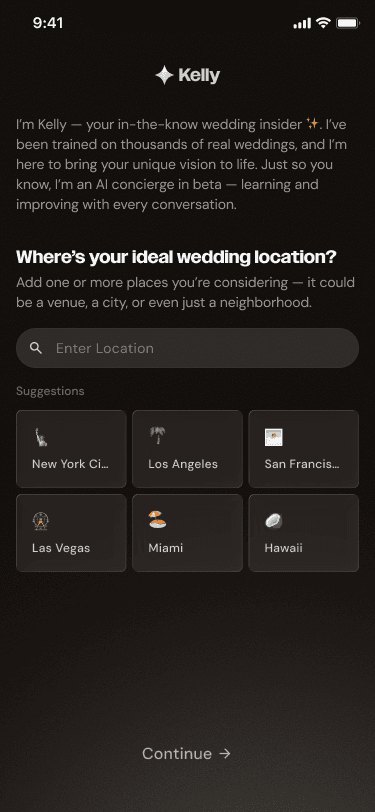
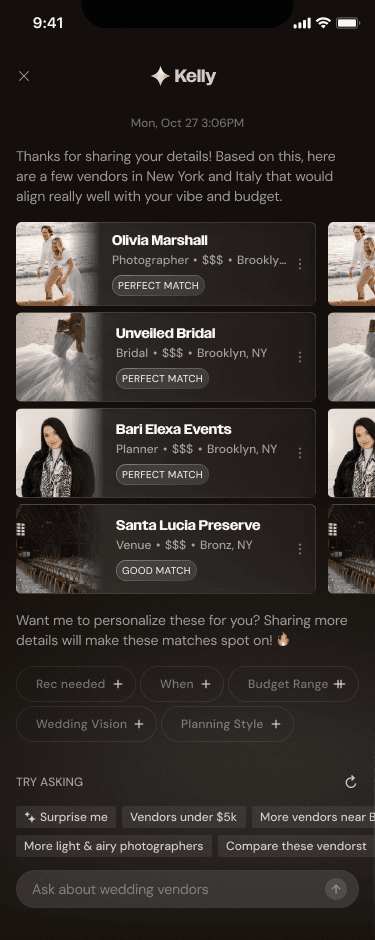
AI Engagement Depth: Monitoring the frequency and quality of interactions with "Kelly" to identify where the conversational flow can be further refined to feel more human and less robotic.
Vendor Response Latency: Tracking how quickly vendors engage with AI-matched leads to ensure the ecosystem maintains its "white-glove" service standard as user volume scales.