Backstage
Backstage is the core design system I built for Ticketmaster’s global consumer-facing platforms. I led the 0-to-1 development of this system to unify the B2C purchasing experience, ensuring that the interface remains performant, accessible, and brand-consistent.
TL;DR
Standardizing the fan experience for the world’s largest ticketing site.
Managing the design for the world's leading ticketing platform requires a balance between brand emotionality and technical precision. I established Backstage to replace fragmented legacy styles with a robust system of tokens and components, optimized for high-traffic scenarios and complex checkout flows.
Why does Ticketmaster need a design system?
product highlight #1
Fragmented UI hindered the platform's visual hierarchy, consistency, and accessibility.
Ticketmaster’s front-end experience was inconsistent across different countries, leading to high design debt and slow development. As a dominant ticketing platform, this is what you’ll experience during your ticket purchasing process:
01
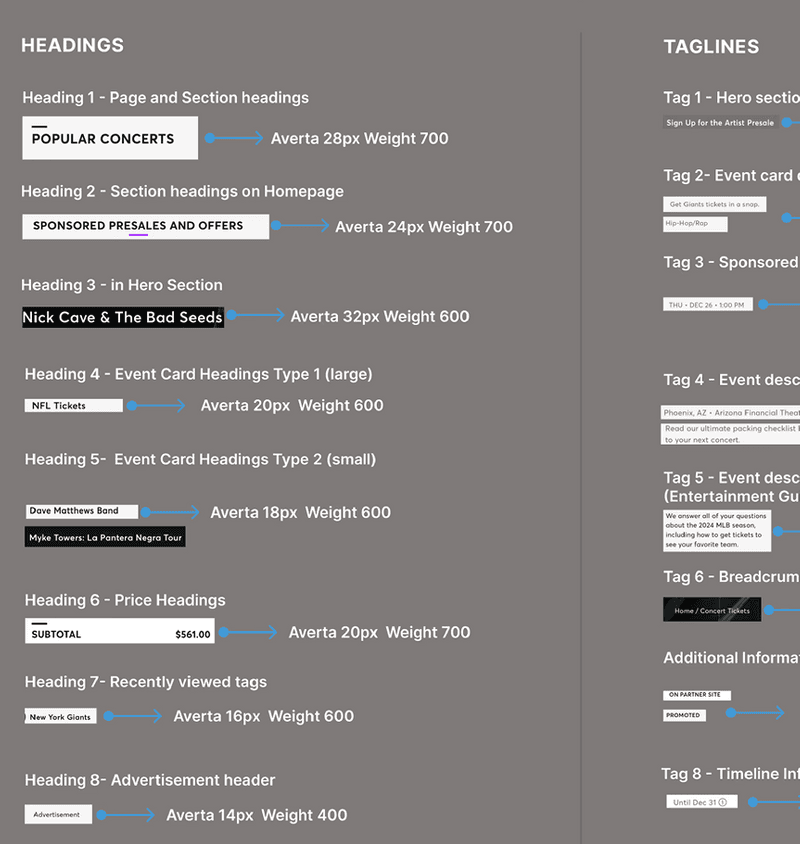
22 font styles with varying weights and sizes, disrupting the overall visual hierarchy.
03
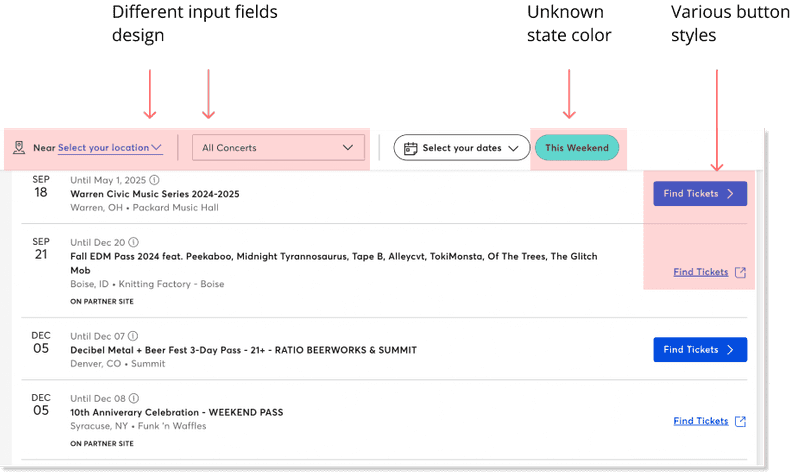
Inconsistent component styles led to visual mismatches and a less professional brand image.
02
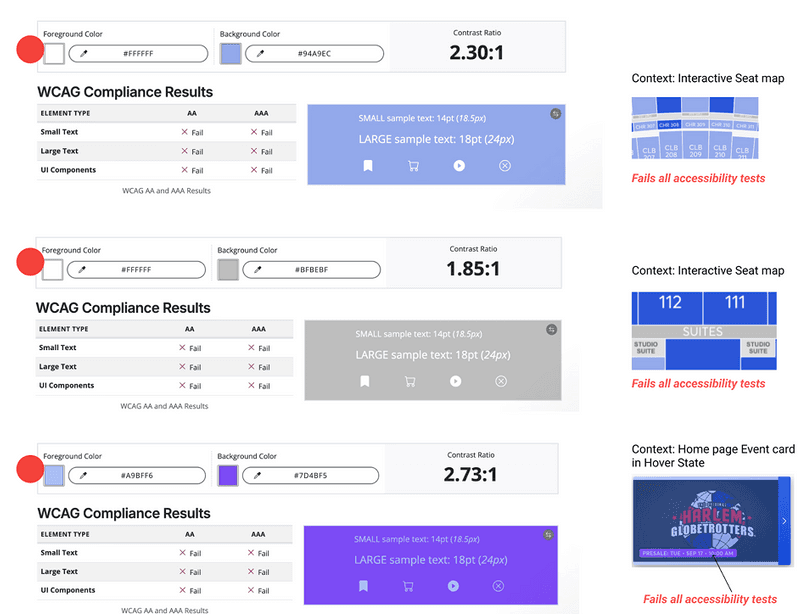
Color usages failed accessibility tests, causing readability issues.
Thus, we designed Backstage to improve usability, brand image, and working efficiency for designers & developers.
Creating UI inventory
To build a robust system, we deconstructed Ticketmaster’s interface to document every components.
As Ticketmaster is a large platform with many functions, I narrowed the scope to Home and Event pages, which are the key pages users engage with during the purchasing process.
I systematically reviewed the site, capturing screenshots of UI components with distinct styles, and categorized them into colors, typography, interactive elements, links, and more.
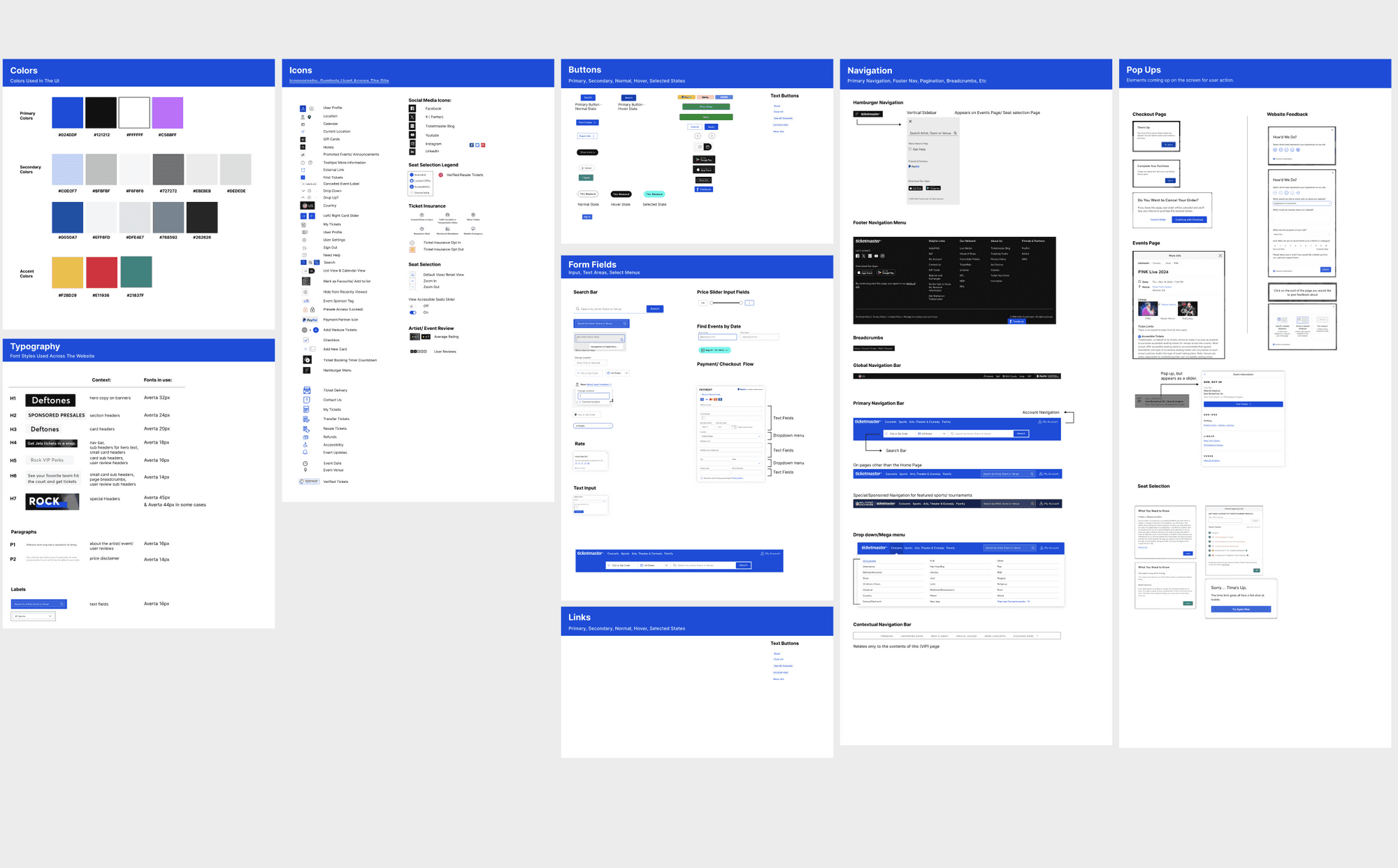
UI inventory revealed the current design patterns and component issue.
The UI inventory not only helped us understand the design patterns Ticketmaster used, but also revealed weaknesses such as inconsistent components, unorganized use of colors and typography, and accessibility issues that hinder the user experience.
This gave us a clearer understanding of what needed to be redesigned in Backstage.
Building UI kit
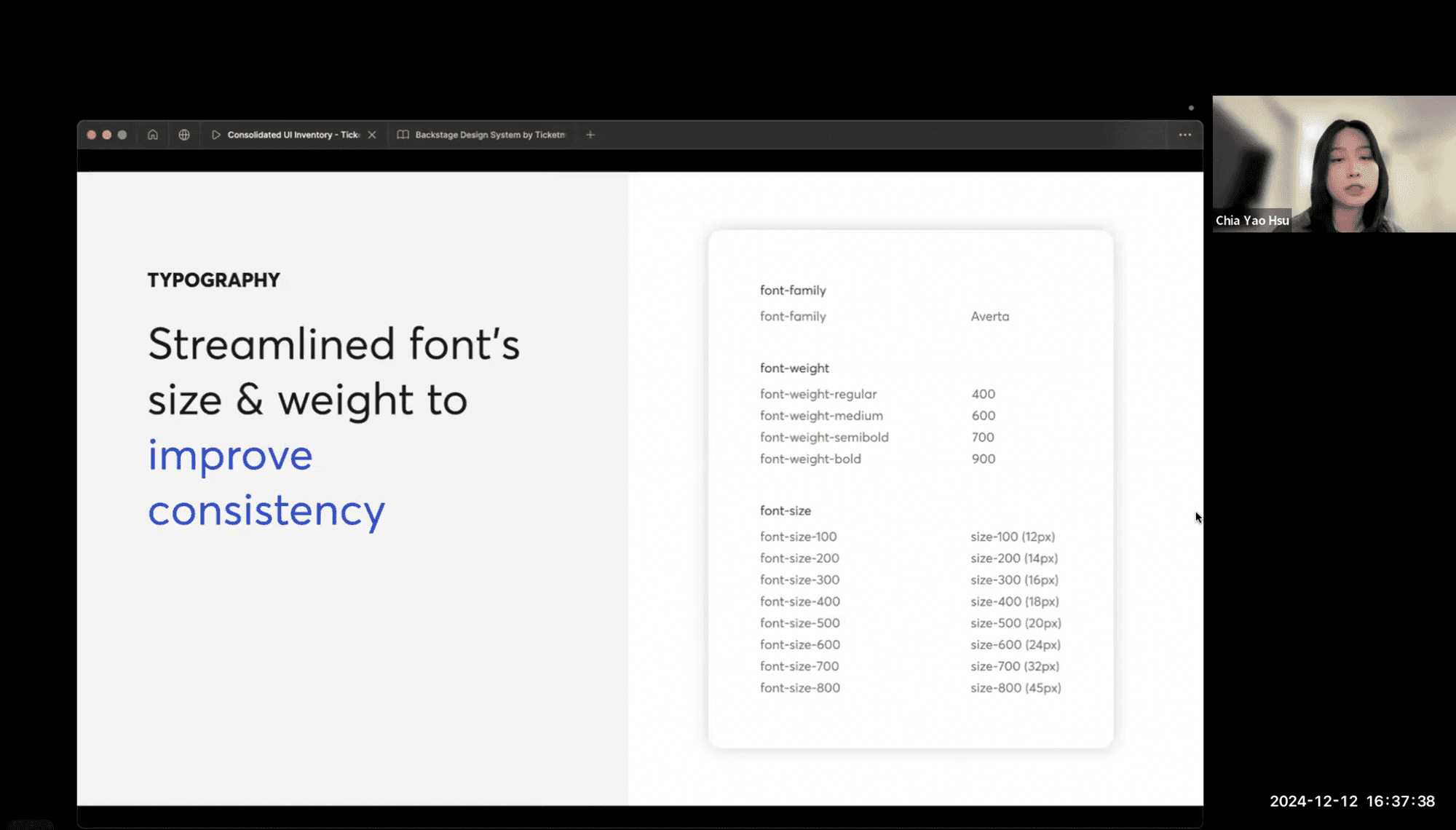
Converting foundational elements—color, typography, and spacing—into reusable design tokens
We began by standardizing color, typography, and spacing as foundational styles, prioritizing website needs, visual clarity, and accessibility.
These foundational atoms ensure visual cohesion when creating molecules and organisms. To enable consistent and efficient reuse, we converted these elements into design tokens.
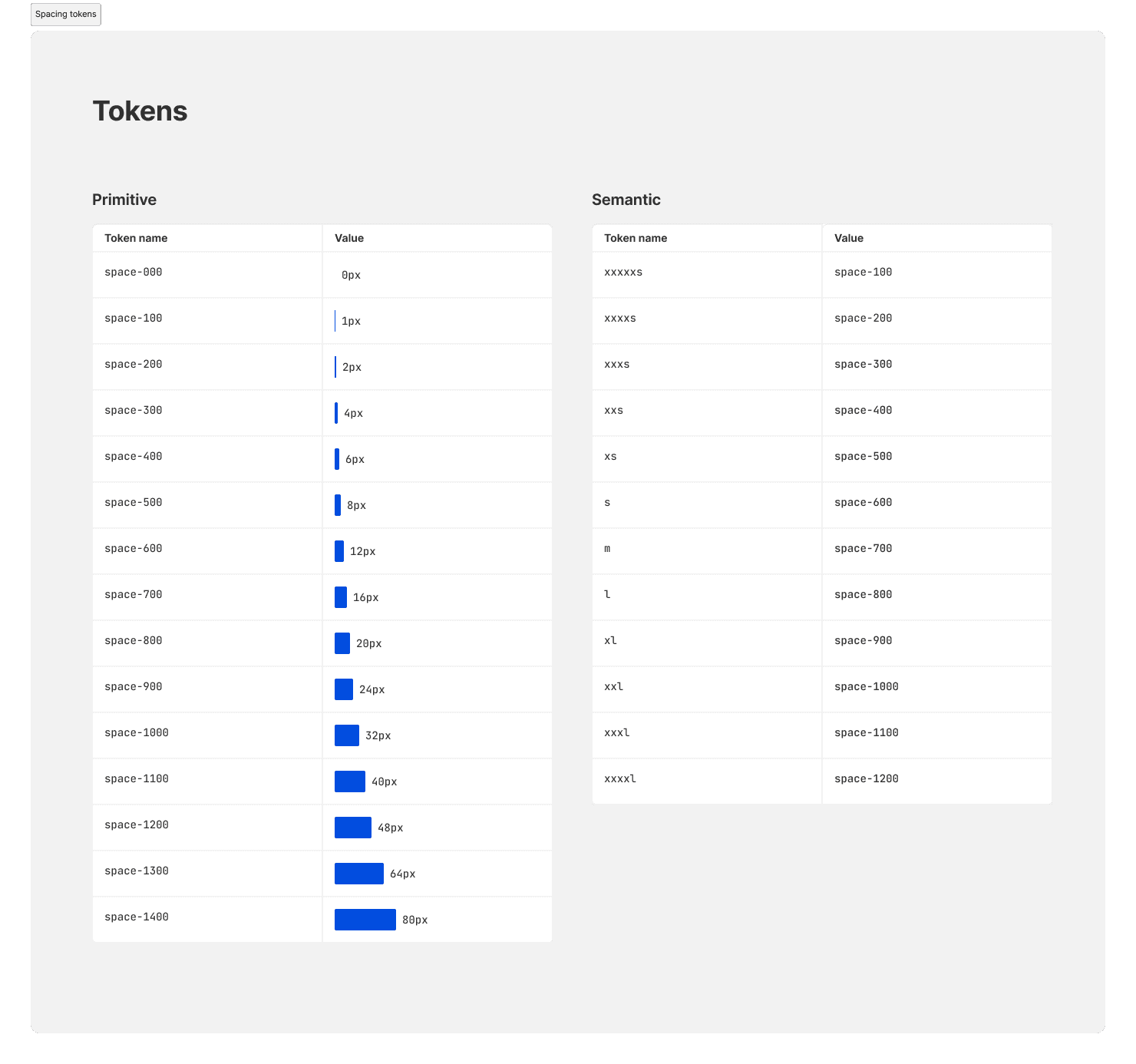

The process of defining & naming design tokens
Using foundational atoms, we rebuilt molecules to ensure greater consistency
Using the foundational styles, we built more complex components like buttons, text links, and switches. The predefined atoms ensured these molecules were cohesive.
We also created component variants, including types, states, and sizes, to address diverse usage scenarios.
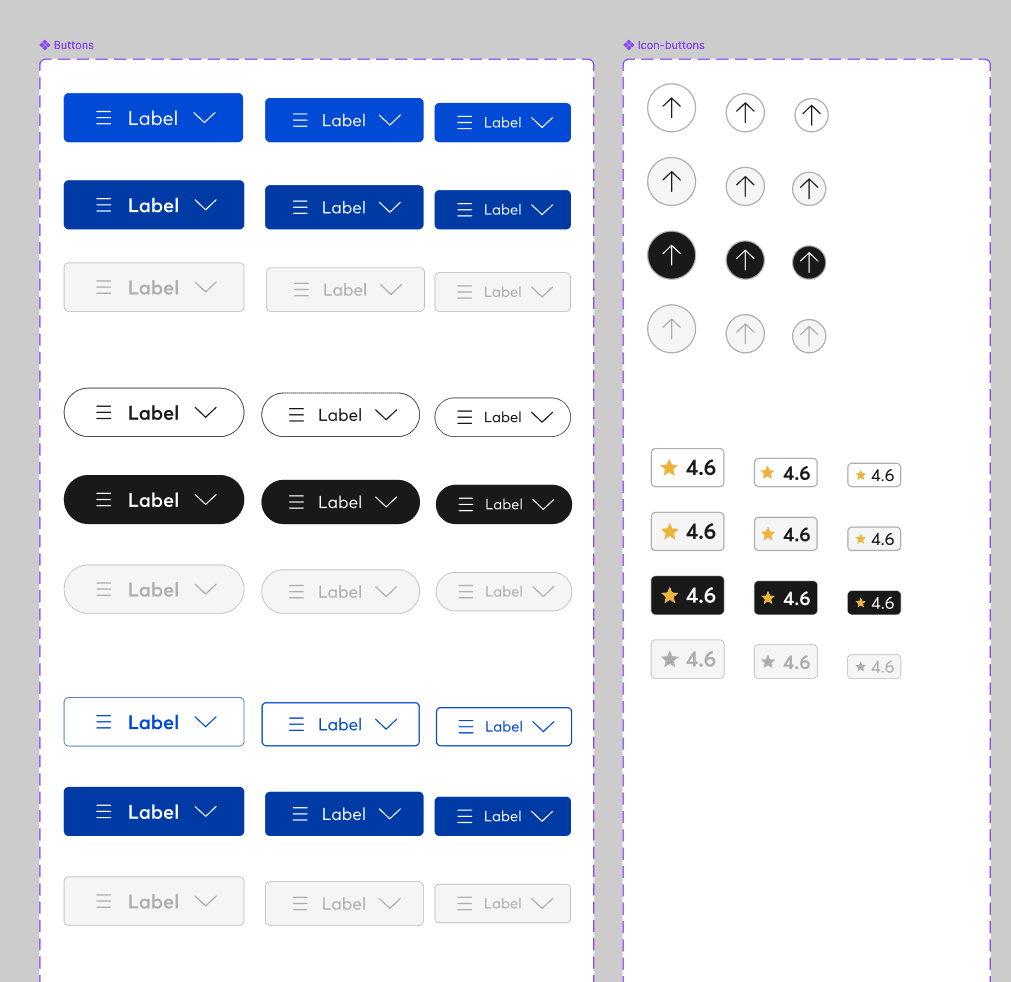
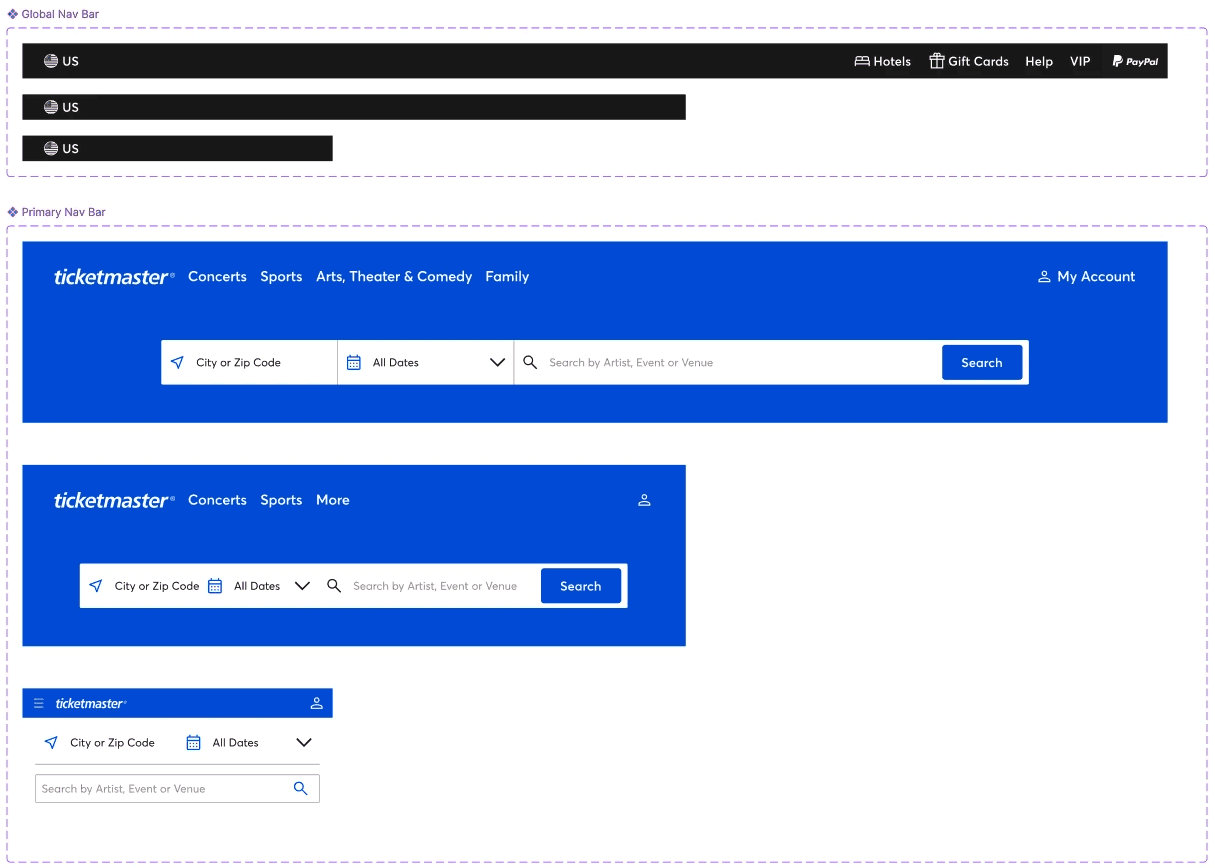
Finally, we connected molecules to form organism-level components.
By combining foundational styles and molecules, we built bigger components like navigation and cards.
Leveraging pre-built atoms and molecules made creating complex components easier while ensuring a consistent design style.
Documenting the system
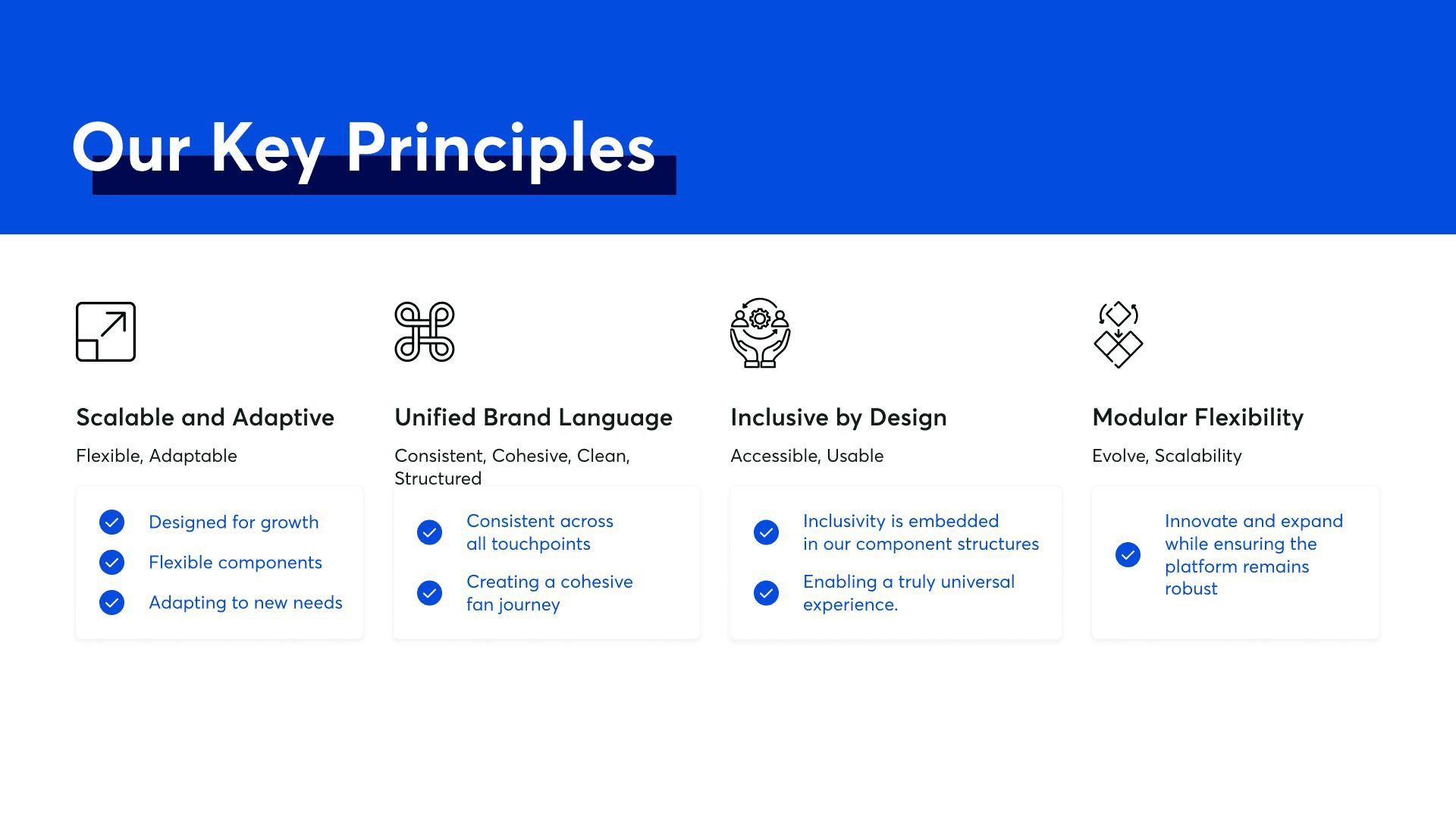
Create principles and branding for the system to shape the design culture.
A design system is more than a component library; it shapes design culture, fosters collaboration, and aligns teams and stakeholders around a shared vision.
We defined design principles tp guide designer through every design choice they made at designing Ticketmaster
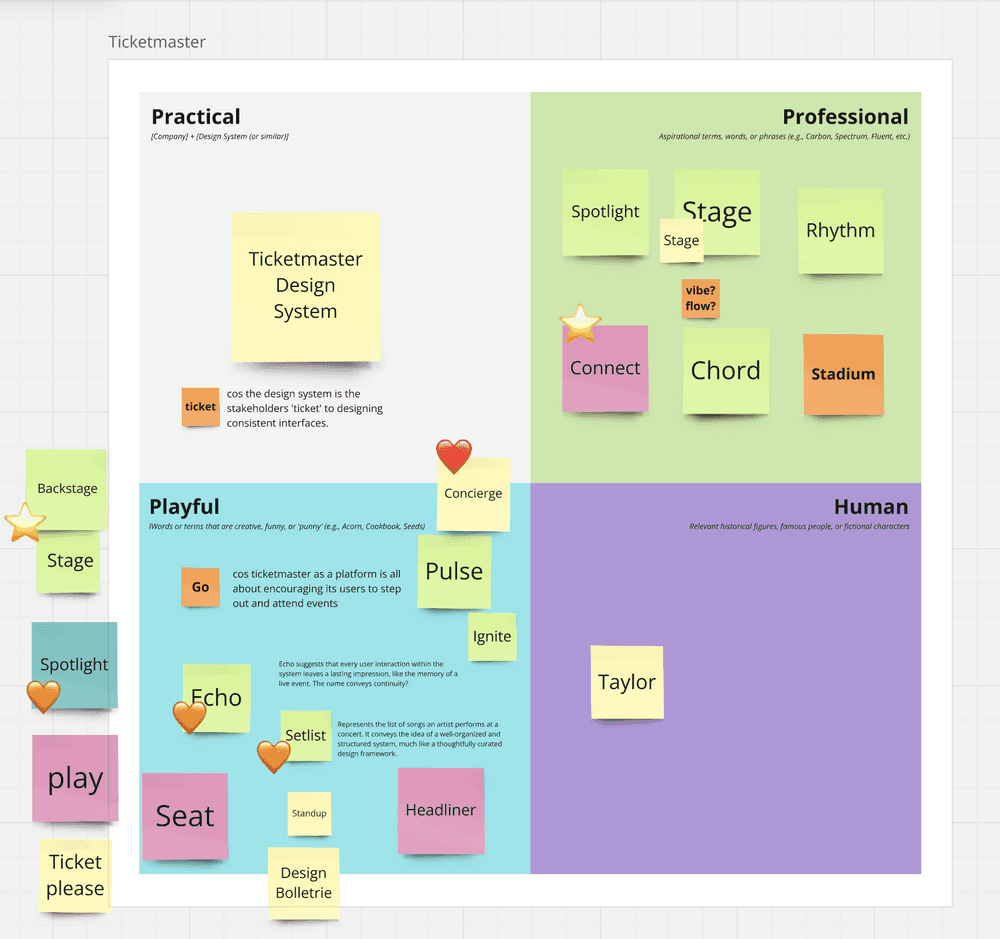
Brainstormed names to best represent our system — ended up with Backstage
Just as every concerts or sports event relies on a backstage crew to make the magic happen, Ticketmaster’s *Backstage* powers the behind-the-scenes work to deliver a seamless ticket-buying experience.
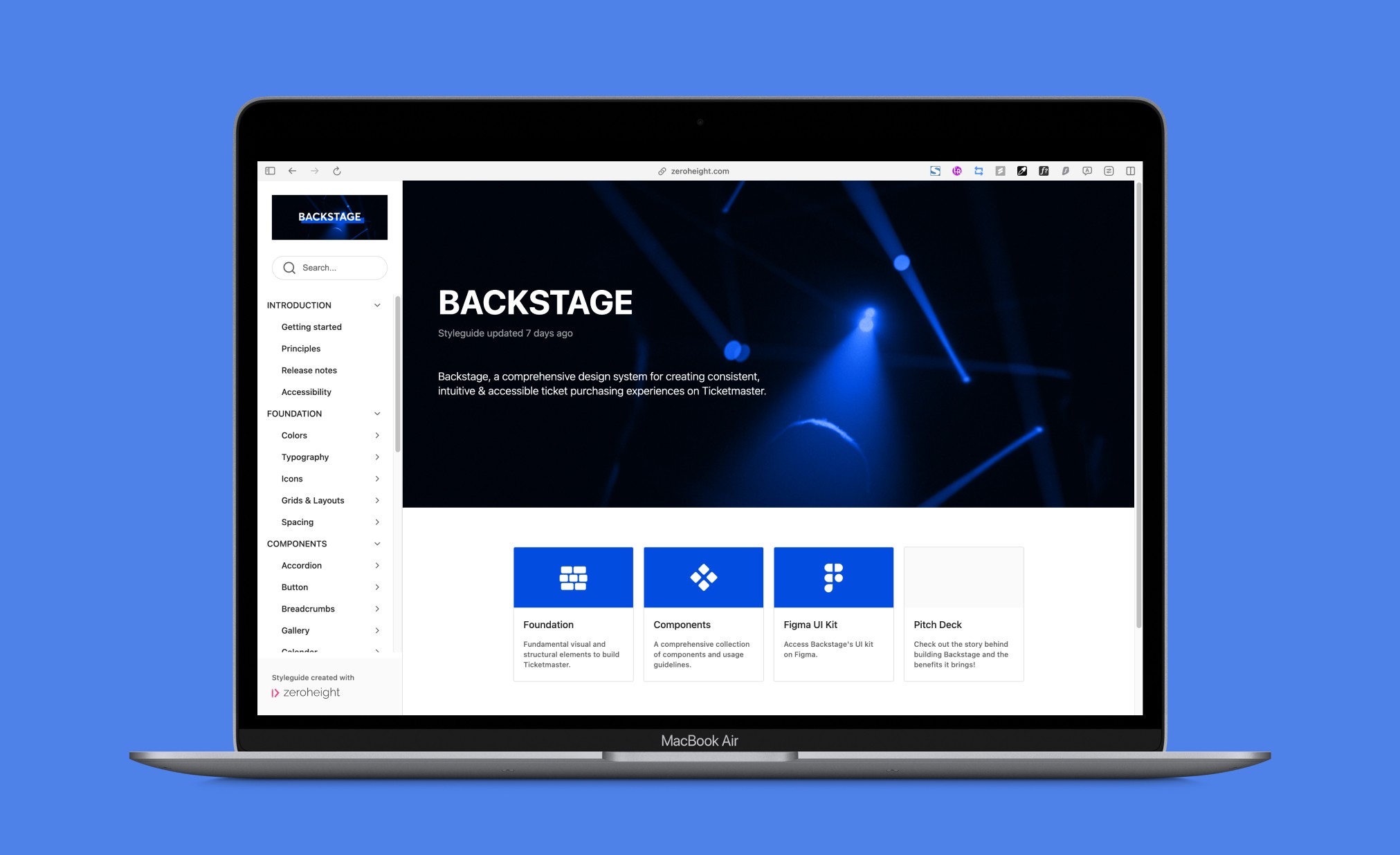
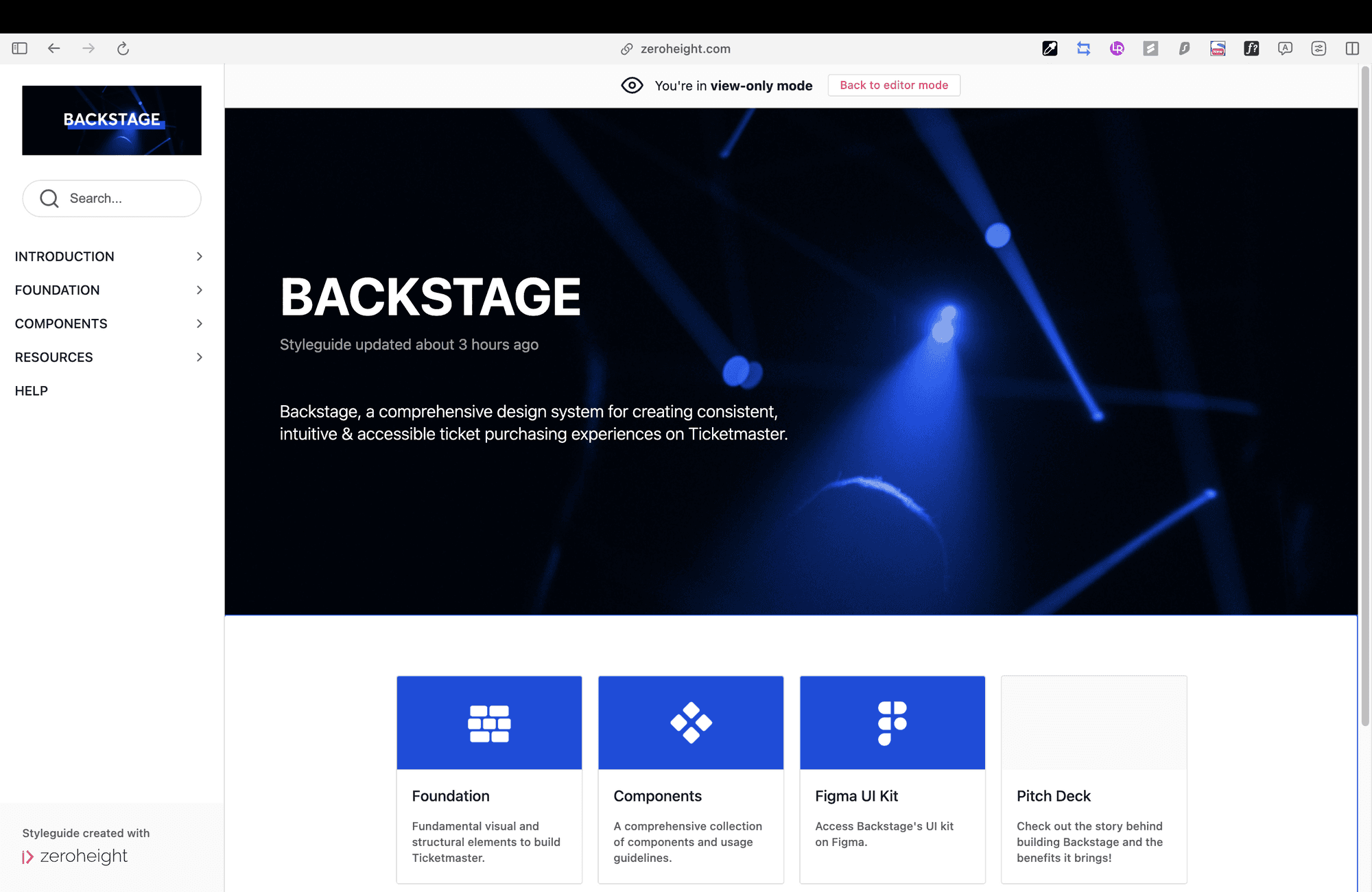
A thorough documentation of Backstage on Zeroheight.
The whole design system documentation is composed of Introduction, Foundation, Components, Resources, and Helps.
It introduces internal stakeholders to Backstage, offering access to foundational styles, components, downloadable design resources, and ways to contribute or reach out to us.
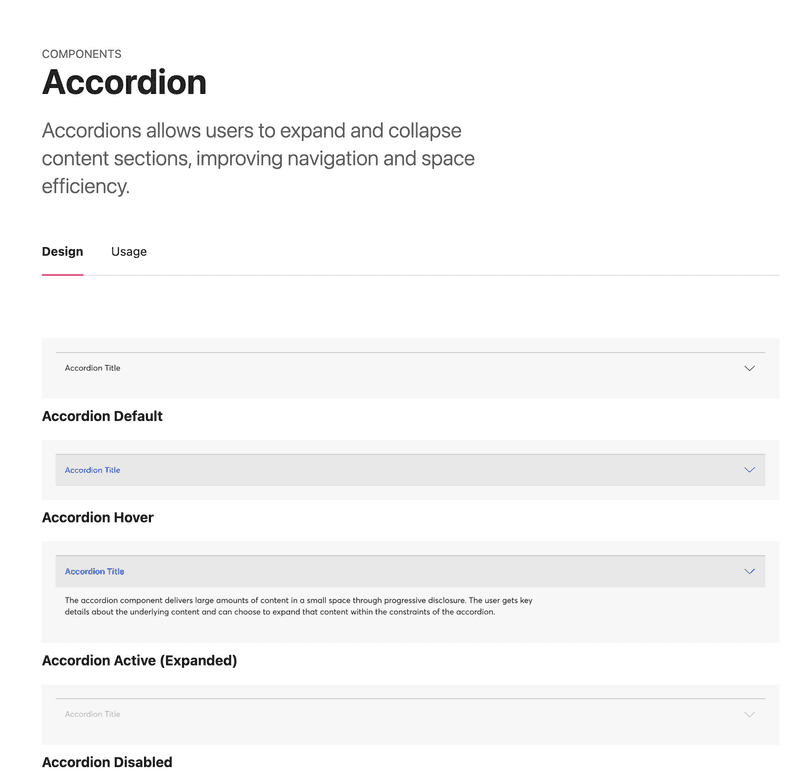
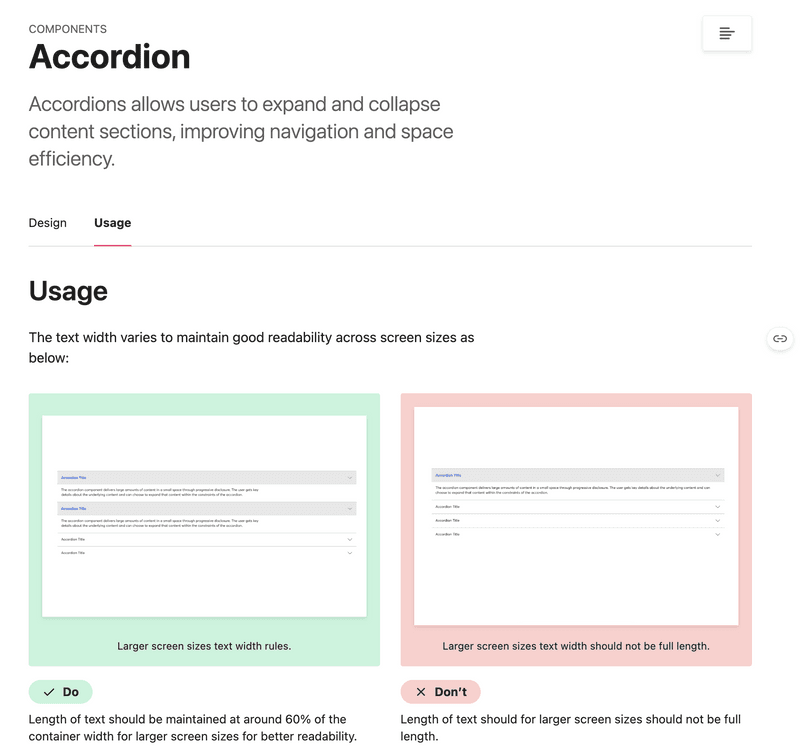
Each component page includes an overview, all variants, and detailed usage guidelines for designers to refer to efficiently.
Outcome
A pitching to communicate Backstage’s highlights, convincing stakeholders to adopt the system
We presented a pitch to 15 designers, highlighted how current design hinders user experience and brand image, how Backstage addresses these issues, and how it boosts design efficiency for internal stakeholders.
We also did a live demo to showcase the speed and ease of rebuilding Ticketmaster pages with Backstage.